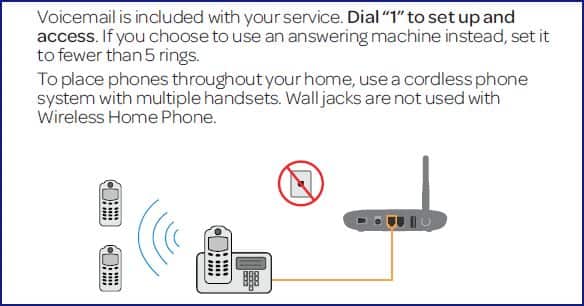
Device Setup
Device Setup

Set up your device for the first time.
Before you being...
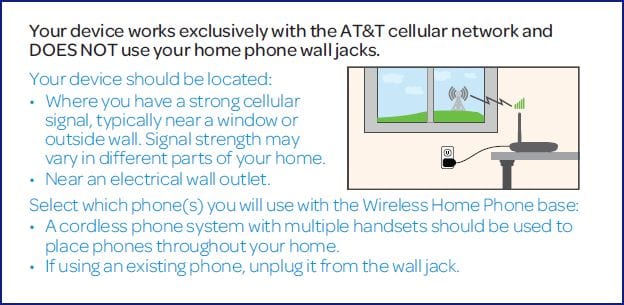
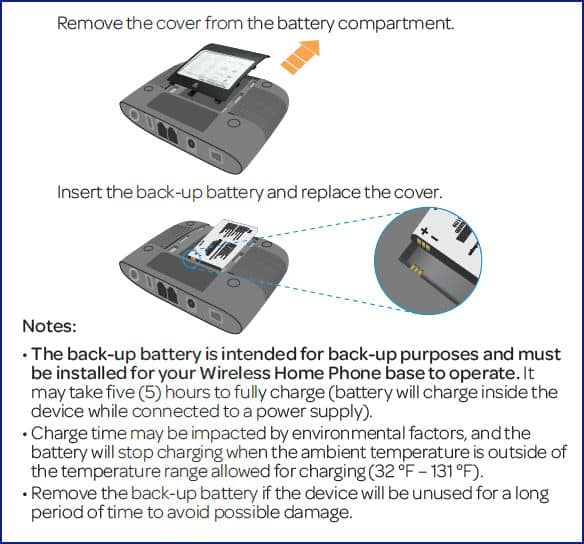
Set Up Your Device
1. Install the battery.
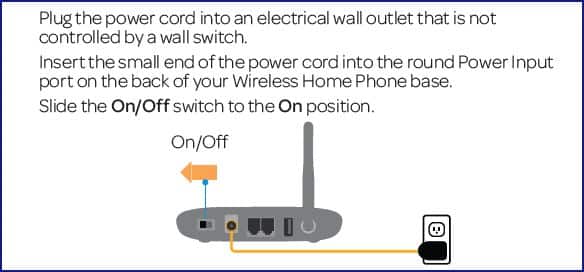
2. Turn on your device.
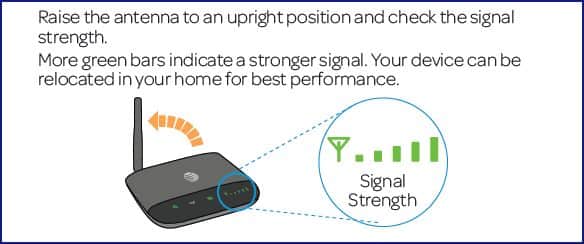
3. Check the wireless signal.
Note: For best results, increase the distance between other electronic devices and the Wireless Home Phone device (including cordless base stations, Wi-Fi routers, and cell phones).
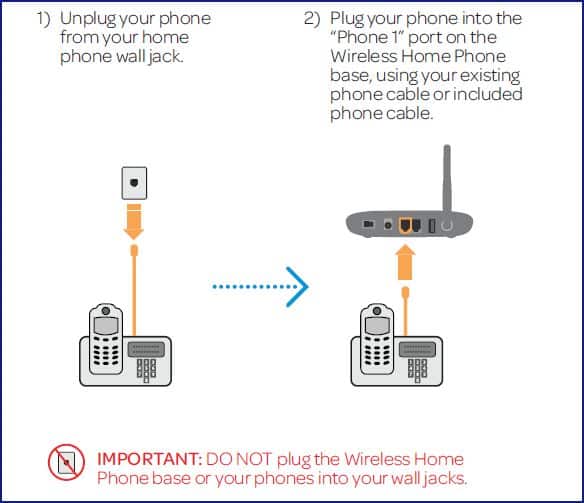
4. Connect the device to a phone.
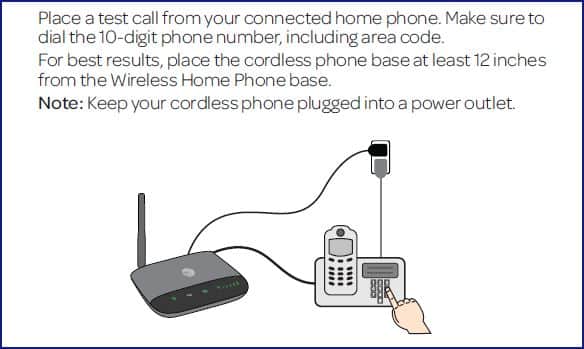
5. Place a test call.
6. Set up voicemail and additional phones.