In-Call Options
In-Call Options

Learn what features are available while on an active call.
-
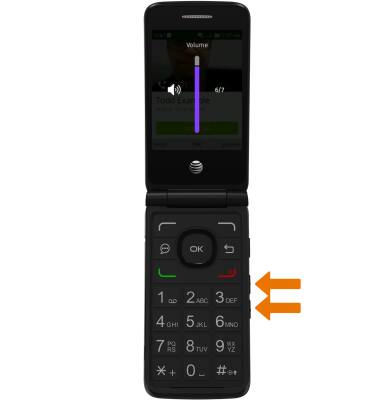
ADJUST THE VOLUME: While on an active call, press the Volume buttons.
-
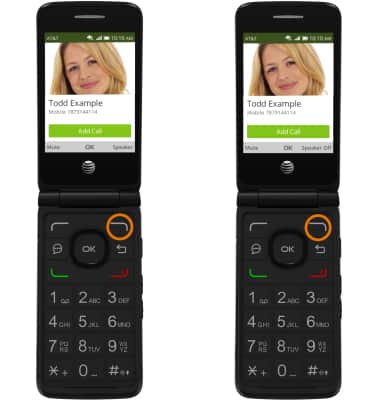
TURN ON/OFF SPEAKERPHONE: Press the right option button to select Speaker. To turn off, press the right option button to selectSpeaker Off.
-
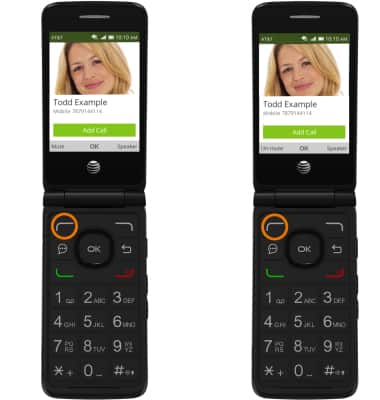
MUTE A CALL: Press the left option button to select Mute. To un-mute a call, press the left option button to select Un-mute.
-
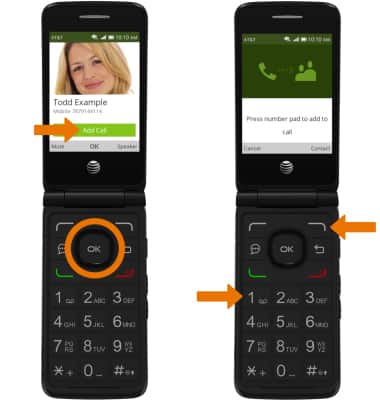
ADD A CALL: Press the OK button to select Add Call, then press the right option button to select a Contact or dial a number.
-
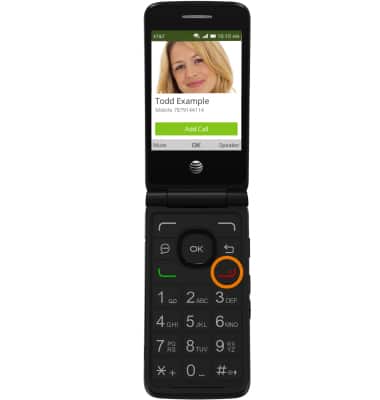
END A CALL: Press the Power/End call button.