Airplane Mode
Airplane Mode

Turn Airplane mode on and off.
-
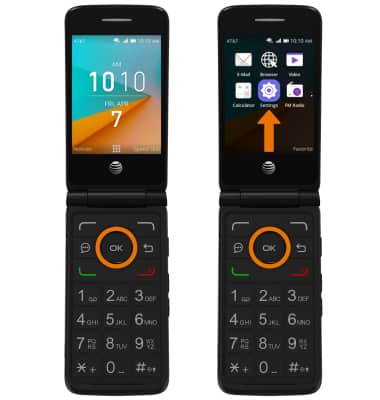
TURN ON/OFF AIRPLANE MODE: From the home screen, press the OK button. Press the directional buttons to navigate to and highlight the Settings app, then press the OK button.
-
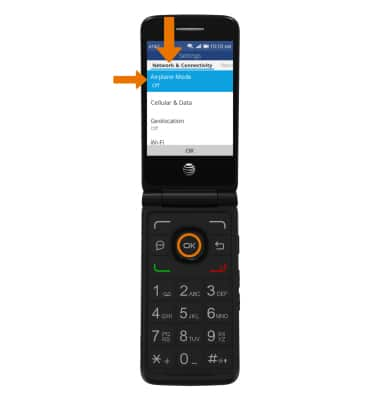
Navigate to the Network & Connectivity tab, then select Airplane Mode.
-
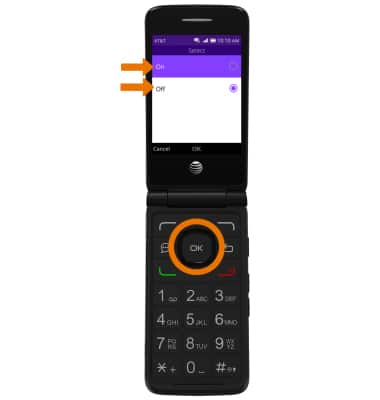
Select the desired circle to turn Airplane mode On or Off.
-
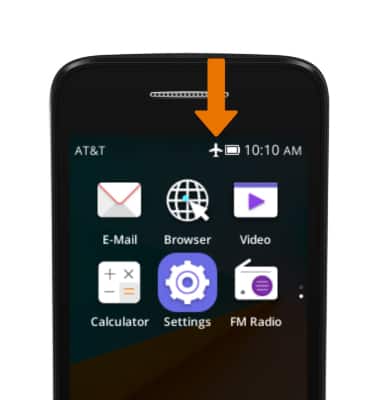
The Airplane mode icon will be displayed in the Notification bar when turned on.