Connection Status
Connection Status

This article describes how to determine the connection status of your device.
-
From a device that is connected to the AT&T Wireless Internet network, open the web browser and go to http://att.wirelessinternet. Enter your Admin login, then click Login.
Note: The default admin login is attadmin. The admin login can be found on the bottom of the device.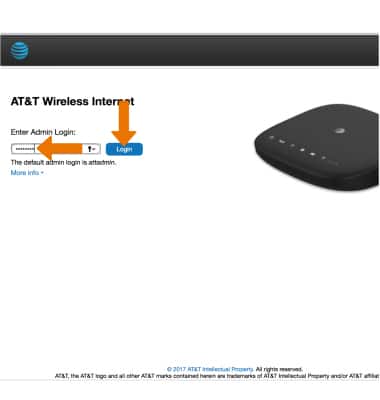
-
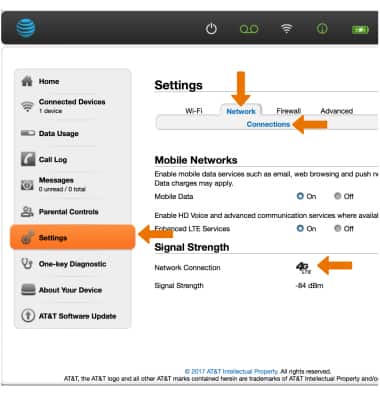
Click Settings > Network > Connections. Connection status will be displayed.