Wi-Fi Connection Details
Wi-Fi Connection Details

View the Wi-Fi connection details for your device.
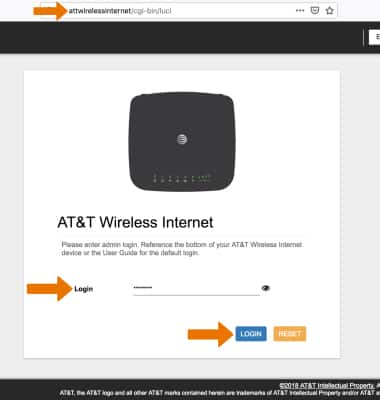
1. From your connected devices web browser, go to http://attwirelessinternet. Enter your Login then click LOGIN.
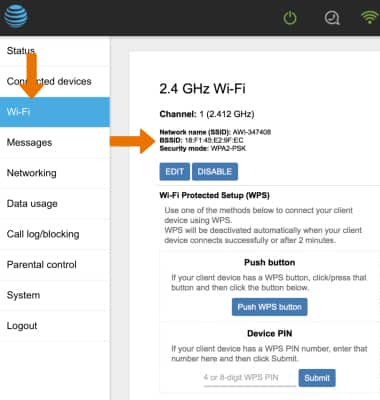
2. Click the Wi-Fi tab. Information will be displayed for both Wi-Fi frequency bands.
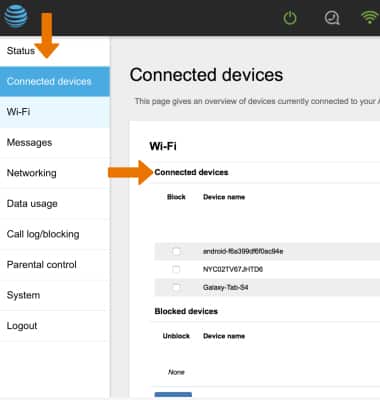
3. Click the Connected devices tab. Connected devices will be displayed.