Reset Device
Reset Device

Perform a factory reset to restore default settings on the device. Perform a factory reset if you have been locked out of access to your device settings.
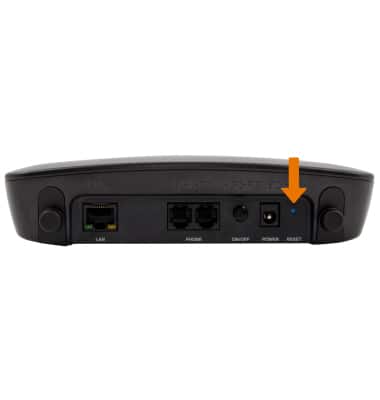
1. RESET AT&T WIRELESS INTERNET: From the back of the device, press and hold the RESET button for 15 seconds using a pen, paperclip, or SIM removal tool.
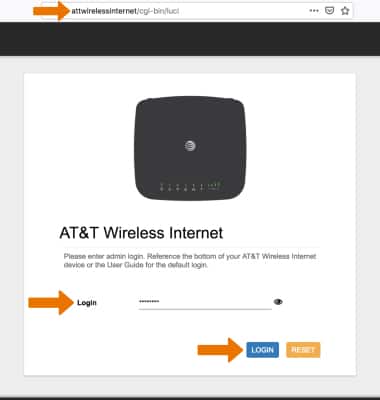
2. RESET USING WIRELESS INTERNET MANAGER: From a device that is connected to the AT&T Wireless Internet network, open the web browser and go to http://attwirelessinternet. Enter your Login, then click LOGIN.
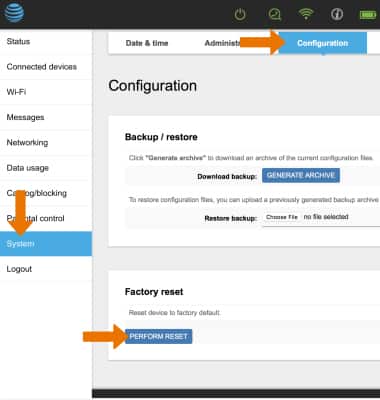
3. Click the System tab then click Configuration. Click PERFORM RESET to perform a factory data reset.
Note: You will be prompted to click OK to confirm.