Software Version
Software Version

The images and steps in this tutorial reflect software version Android 11. Stay current by regularly checking for software updates, which often include important security patches and performance enhancements. Use the AT&T Device Help app to quickly confirm whether your device is up to date. Before downloading updates, ensure you’re connected to a reliable Wi-Fi or cellular network for a smooth experience.
In this tutorial, you will learn how to:
• View software version
• Check for updates
View software version
- Swipe down from the Notification bar with two fingers, then select the
 Settings icon.
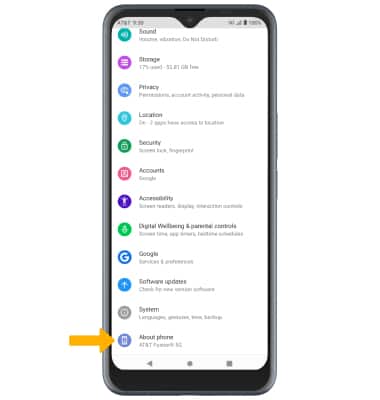
 - Scroll to and select About phone.
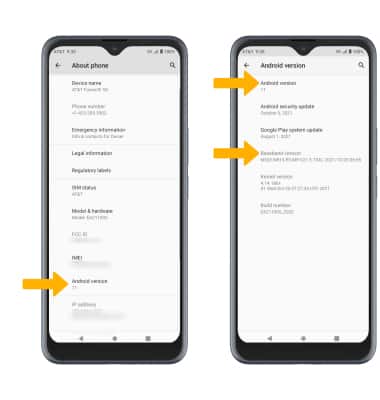
3. Select Android version. Here you can view the Android version and the Baseband version.
Check for updates
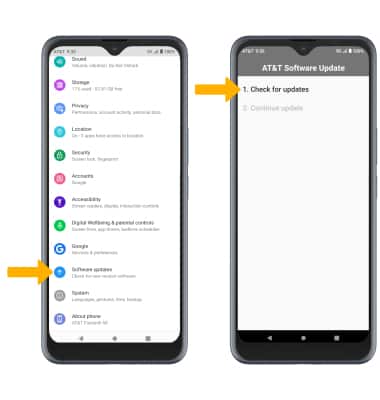
From the Settings screen, scroll to and select Software Update. Select Check for Updates.
Note: If an update is available, follow the on-screen instructions to perform the update. If an update is not available, select OK.