Access Downloaded Files
Access Downloaded Files

Access files downloaded from a web browser, email, and messages.
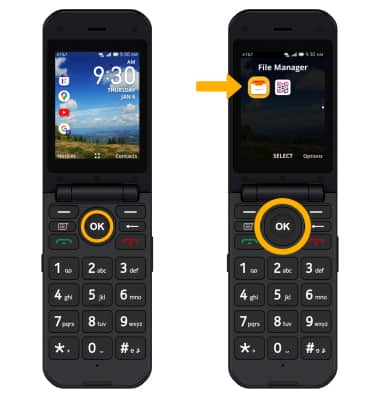
1. From the home screen, press the OK key to access the Apps tray. Press the navigational buttons to highlight the File Manager app. Press the OK key to select.
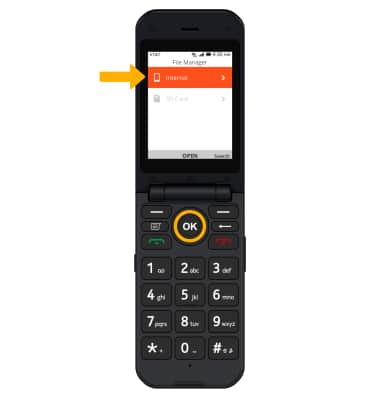
2. Press the OK key to select Internal.
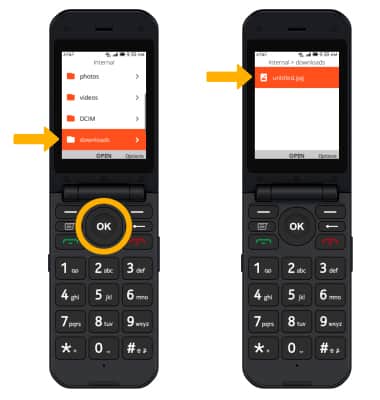
3. Press the down button to highlight downloads, then press the OK button to select. Downloaded files will be displayed.