LED Indicators
LED Indicators

In this tutorial, you will learn how to:
• Locate the LED Status Lights
• Check the Cellular Status Lights
• Check the Power Light
Locate the LED Status Lights
TheLED Status Lights are located on the front of the device. The AT&T BGW830 has five status lights: one power and four signal status lights.
Check the Cellular Status Lights
The four Cellular Status Lights indicate the status of the cellular signal.
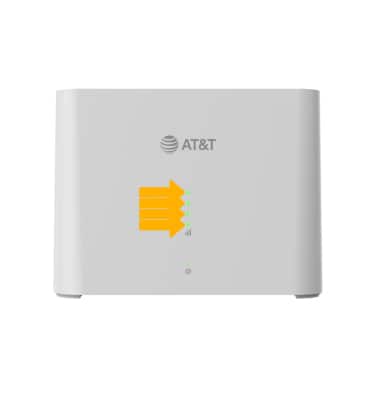
• GREEN: The more green lights that are displaying, the stronger the cellular signal. If you only have one or two green lights, you should check for a better location.
• AMBER (CHASING): Your device is looking for the best signal tower.
• AMBER (BLINKING): Your device has an error. The number of blinking lights indicates your error code. One blink indicates no IP address. Two blinks indicate a SIM error. Three blinks indicate an authentication error. Four blinks indicate that DNS is down.
• OFF: If all signal indicator lights are off, there’s no connection to the 5G cellular network.
Check the Power Light
The Power Light indicates the power status of your AT&T BGW830.
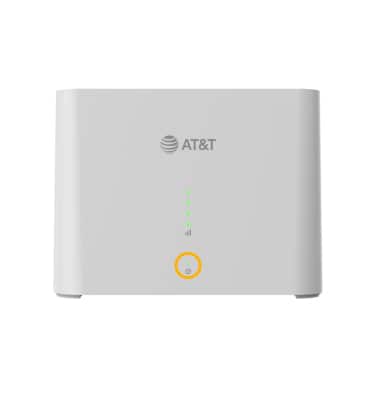
• GREEN: Your device is powered on.
• RED: Your device has an error. Check the signal indicator lights to find the error code.