Navegar por múltiples pantallas de inicio
Blade A3 Plus
Navegar por múltiples pantallas de inicio
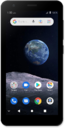
Tu dispositivo puede tener múltiples pantallas de inicio. Puedes alternar entre diferentes pantallas principales al deslizarte desde los bordes de tu dispositivo. Puedes usar el botón home para ir a la pantalla principal.
1.
From the main Home screen, swipe right to left to access the right home screen.
2.
Oprime el botón Home para volver a la pantalla principal.
3.
¡Completaste los pasos!
