Habilitar el bloqueo remoto
Galaxy A15 5G
Habilitar el bloqueo remoto
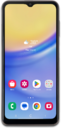
Aprende a activar la funcionalidad de bloqueo remoto. Esto te permitirá bloquear tu dispositivo de forma remota en caso de robo.
1.
Desde la aplicación Settings, desplázate y toca Security and privacy.
2.
Toca Lost device protection.
3.
Toca Theft protection.
4.
Toca Remote lock.
5.
Toca o desliza el botón Use Remote Lock para activar.
6.
¡Completaste los pasos!
