Usar Live Listen para aumentar el volumen de las conversaciones del mundo real
iPad 10th Generation
Usar Live Listen para aumentar el volumen de las conversaciones del mundo real
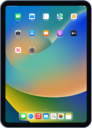
Coloca tu iPhone o iPad frente a otro objeto o persona y Live Listen puede aumentar su volumen, como un micrófono, para dispositivos AirPods o Beats conectados
1.
Desde la pantalla principal, deslízate hacia abajo desde la parte superior derecha de tu pantalla para tener acceso al centro de control.
Si tu dispositivo tiene un botón Home, deslízate desde abajo hacia arriba de la pantalla.
2.
Toca el ícono Plus .
3.
Toca Add a Control.
4.
Desplázate y selecciona el ícono Hearing .
5.
Toca fuera del área de control para confirmar los cambios.
6.
Toca el ícono Hearing .
Desde esta pantalla, puedes ajustar las configuraciones para Live Listen, como el volumen y los sonidos de fondo que hay.
7.
¡Completaste los pasos!
