Configurar una actualización o portabilidad manualmente con eSIM
Configurar una actualización o portabilidad manualmente con eSIM
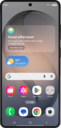
Toca Start.
Aquí puedes cambiar tu configuración local, de accesibilidad y realizar una llamada de emergencia.
Toca Agree.
Toca Set up manualmente.
Selecciona tu red Wi-Fi, ingresa su contraseña y toca Connect.
Toca Next.
Toca Activate through AT&T para comenzar a activar tu eSIM.
Ingresa el AT&T código postal de facturación o envío del servicio móvil, luego toca Next para continuar.
Tu eSIM comenzará a descargarse una vez que veas esta pantalla.
Para configurar tu teléfono como un dispositivo nuevo, toca Don't copy.
También puedes transferir aplicaciones y datos desde tu teléfono anterior.
Ingresa la información de tu cuenta De Google y toca Next.
Sigue las indicaciones en pantalla para aceptar cualquier servicio de Google.
Ingresa y confirma tu número de PIN, luego toca OK.
En esta pantalla, puedes elegir varias funcionalidades de seguridad para bloquear tu teléfono.
Toca Accept.
Toca Don't back up.
Para este tutorial, omitiremos la configuración de la copia de seguridad de Google, pero recomendamos hacer una copia de seguridad de tus datos.
Toca Next.
Toca No thanks.
En esta pantalla, puedes optar por habilitar la funcionalidad "Hey Google" para que funcione con Gemini en tu teléfono.
Toca Sign in with Google.
Sigue las indicaciones en pantalla para aceptar cualquier servicio de Samsung.
Toca Next.
Toca Home.
¡Completaste los pasos!
