Bluetooth
Bluetooth
-
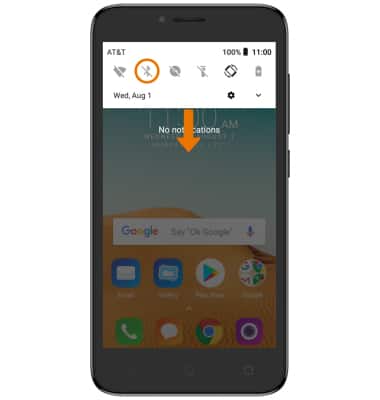
ACTIVAR BLUETOOTH: Deslízate hacia abajo desde la barra de notificaciones, luego selecciona el ícono Bluetooth.
Importante: Para habilitar Bluetooth a través de las configuraciones, deslízate hacia abajo desde la barra de notificaciones con dos dedos, luego selecciona el ícono Settings > desplázate y selecciona Bluetooth > interruptor Bluetooth ON.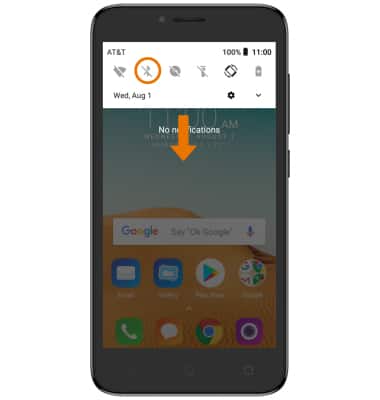
-
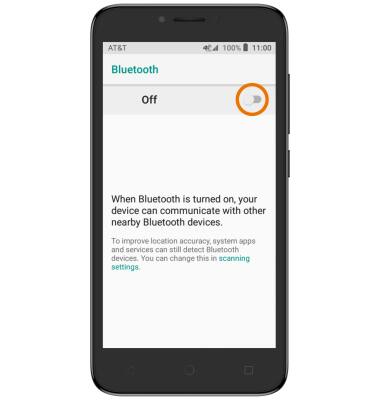
BUSCA DISPOSITIVOS: Deslízate hacia abajo desde la barra de notificaciones, luego selecciona y mantén oprimido el ícono Bluetooth. Selecciona el botón Bluetooth.
-
CONÉCTATE A UN DISPOSITIVO: En la pantalla Bluetooth, selecciona Pair new device y luego selecciona el dispositivo deseado.
Importante: si el dispositivo que deseas no aparece, asegúrate de que esté visible.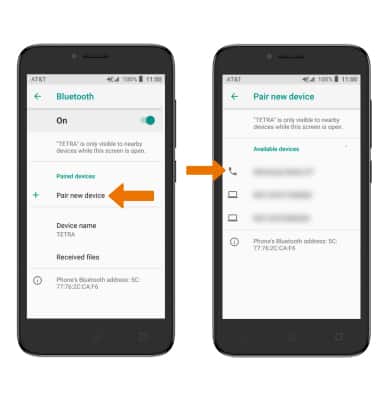
-
Selecciona PAIR cuando se indique solicitar una conexión.
Importante: Se te pedirá que ingreses tu código personal (el que por lo general está predeterminado en 0000).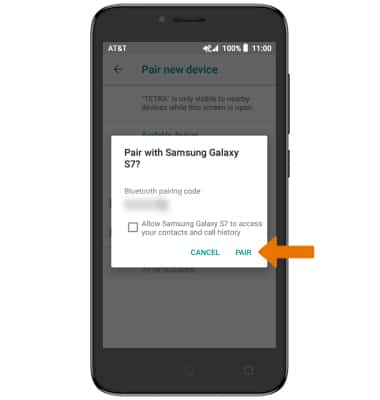
-
Cuando esté conectado, el ícono de Bluetooth conectado aparecerá en la barra de notificaciones.
Importante: Para optimizar la duración de la batería, desactiva el Bluetooth cuando no lo uses.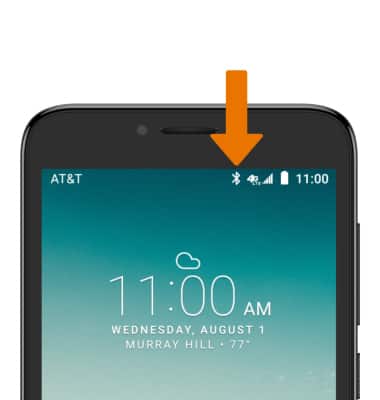
-
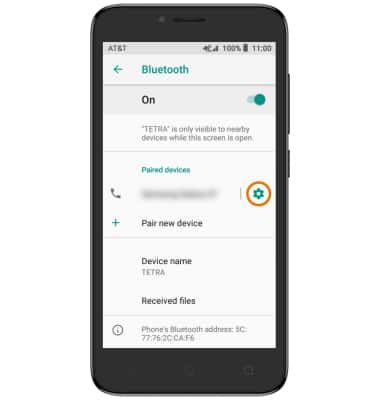
AJUSTAR LAS CONFIGURACIONES O DESCONECTAR: selecciona el ícono Settings.
-
Ajusta las configuraciones según lo desees o selecciona FORGET para desconectar el dispositivo.
Importante: Si tienes problemas para conectar/desconectar tu dispositivo, consulta el manual de usuario de tu dispositivo para obtener información adicional.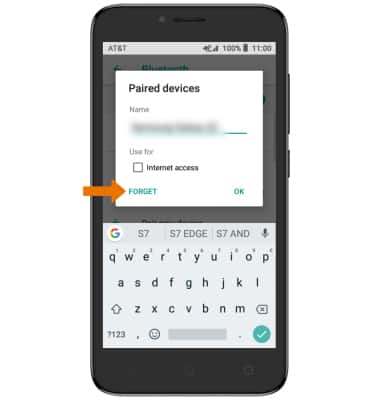
-
ACTIVAR O DESACTIVAR RÁPIDAMENTE BLUETOOTH: desliza la barra de notificaciones hacia abajo y luego selecciona el ícono Bluetooth.