Crear carpetas
iPhone 6S Plus
Crear carpetas
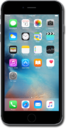
Crear carpetas en tu pantalla principal puede ayudarte a organizarte. Puedes crear carpetas para categorías de aplicaciones como banca, viajes, servicios públicos, redes sociales y más para personalizar tu dispositivo.
1.
Desde la pantalla principal, mantén oprimida una aplicación.
2.
Toca Edit Home Screen.
3.
Arrastra la aplicación a otra aplicación.
4.
Toca la carpeta nueva.
5.
Toca el ícono X.
6.
Ingresa un nombre de carpeta.
7.
Toca la tecla Done .
8.
Toca fuera de la carpeta.
9.
Oprime el botón Home para guardar tus cambios.
Para eliminar una carpeta, elimina todas las aplicaciones de su interior.
10.
¡Completaste los pasos!
