Cómo usar tu fuente
Galaxy A6
Cómo usar tu fuente
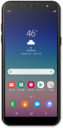
Tu fuente de Google se puede personalizar para mostrarte información relevante para ti. Puede mostrarte artículos de noticias, estado del tiempo, puntajes deportivos, estimaciones del tiempo de conducción y más.
1.
Desde la pantalla principal, deslízate hacia arriba para ver tus aplicaciones.
2.
Toca la carpeta Google .
3.
Toca Google.
Si se te indica, sigue las instrucciones en pantalla para usarlo por primera vez.
4.
Desplázate para ver más tarjetas.
5.
Toca una tarjeta para verla.
6.
Toca el ícono Back para volver a la pantalla principal de la aplicación Google.
7.
Para descartar una tarjeta, toca el ícono Menu .
8.
Toca Hide this story.
9.
Toca el ícono Search .
10.
Di tu término de búsqueda.
11.
Toca la tecla Search .
Desde aquí, puede seleccionar el tipo de resultado que desea encontrar. Puedes ver resultados desde la web o contactos y aplicaciones en tu teléfono.
12.
¡Completaste los pasos!
