Wi-Fi network name and password
Wi-Fi network name and password

Change the network name and password for your device.
-
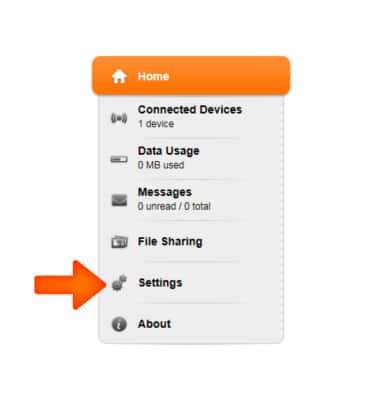
From the AT&T Wi-Fi Manager home screen, go to Settings.
-
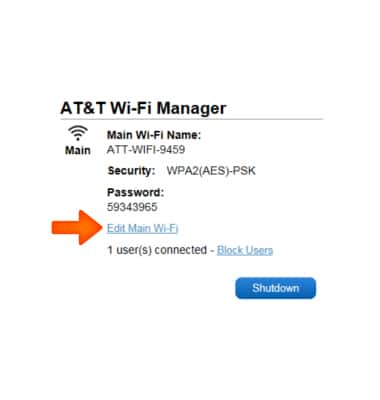
Tap Edit Main Wi-Fi.
-
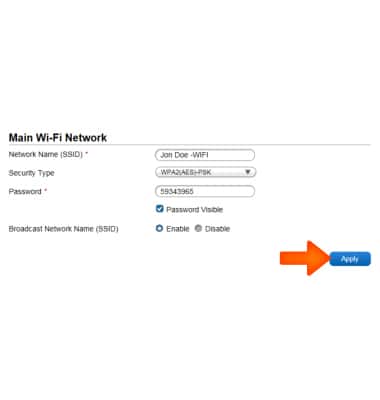
Tap the Network Name field and enter the desired network name. Tap the Password field and enter the desired network password.
Note: To change the Wi-Fi network password, from a device connected to the hotspot, open a web browser and navigate to http://attwifimanager or http://192.168.1.1. Log in as Administrator. Click Settings > Wi-Fi > Basic. Then change the Main Wi-Fi network password.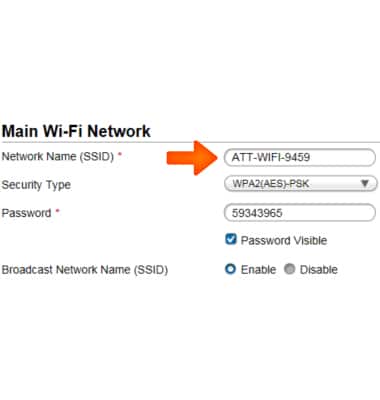
-
Tap or click Apply.
-
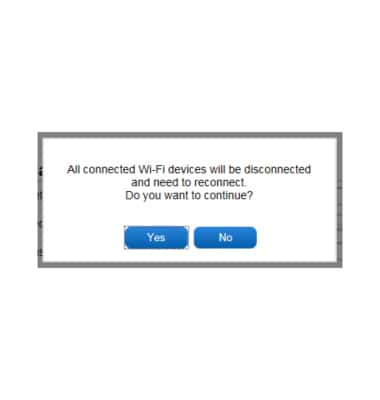
Select Yes or No.