Messaging Settings
Messaging Settings

In this tutorial, you will learn how to:
• Access messaging settings
• Messaging settings options
• Enable/Disable Emergency Alertst
Access messaging settings
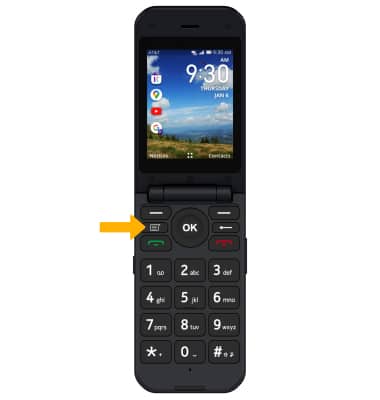
1. From the home screen, press the Messages button to access the Messages app.
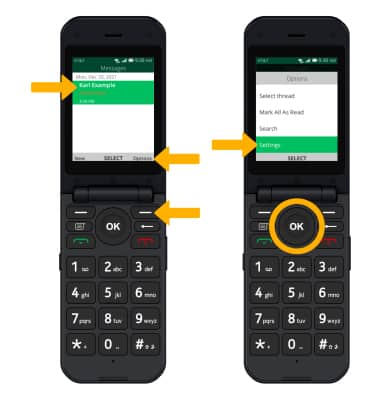
2. Press the right menu button to select Options. Press the down button to highlight Settings, then press the OK key to select.
Messaging settings options
Select the desired option to access the desired settings.
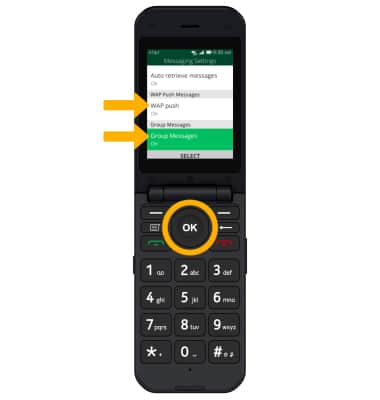
• ACCESS SMS SETTINGS: Press the down button to highlight Group Messages, then press the OK key to select. • ACCESS MMS SETTINGS: Press the down button to highlight WAP push, then press the OK key to select.
Enable/Disable Emergency Alerts
1. From the Messaging Settings screen, press the down button to highlight Wireless emergency alerts. Press the OK key to select.
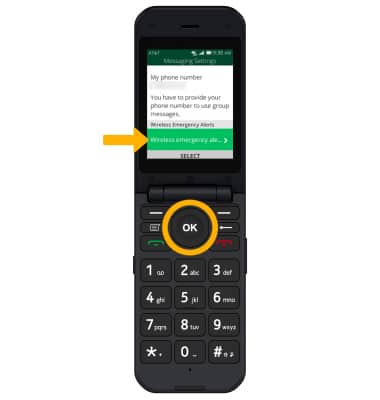
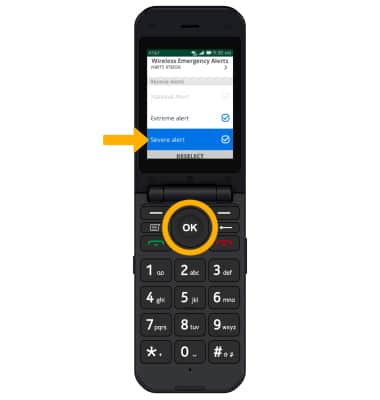
2. Press the down button to highlight the desired alert, then press the OK key to enable or disable.
Note: Learn more about Wireless Emergency Alerts (WEA).