AT&T ActiveArmor Mobile Security
AT&T ActiveArmor Mobile Security

AT&T ActiveArmor Mobile Security allows you to automatically block fraudulent calls, warns you about phone spam, and temporarily blocks unwanted calls. Visit AT&T ActiveArmor for more information.
In this tutorial, you will learn how to:
• Access call protect
• Block a number
• Access settings
Access call protect
1. Navigate to and select the

AT&T ActiveArmor Mobile Security app.
Note: Depending on your device, you may need to download the app from the Google Play Store. View the Download Apps & Games tutorial to learn how to download an app onto your device.
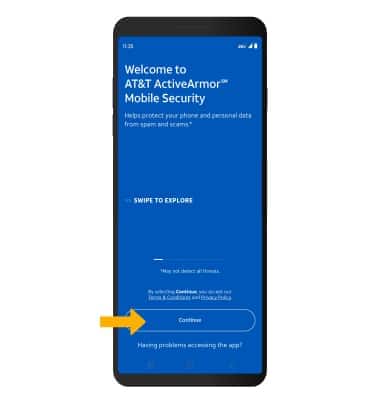
2. Select Continue.
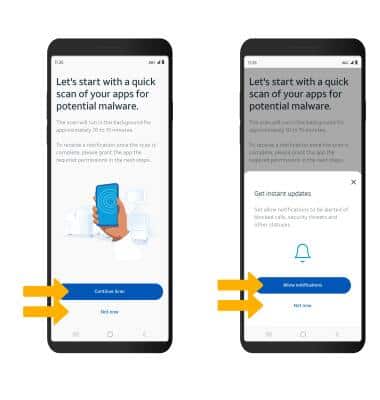
3. You will prompted to run a quick malware scan. Select the desired option. If this is the first time you are accessing AT&T ActiveArmor, you will be prompted to enable notifications. Select the desired option.
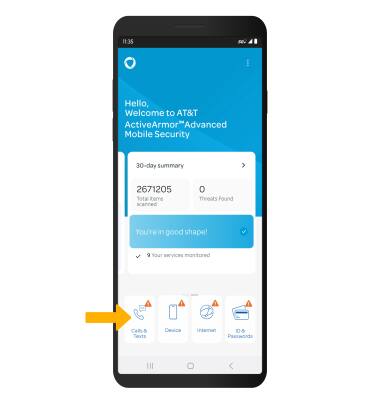
4. Select Calls & Texts.
Block a number
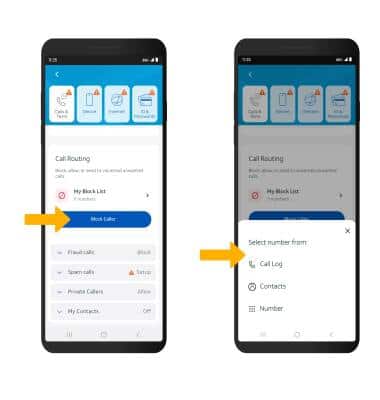
From the Calls & Texts screen, scroll to and select Block caller. Select the desired option and follow the prompts.
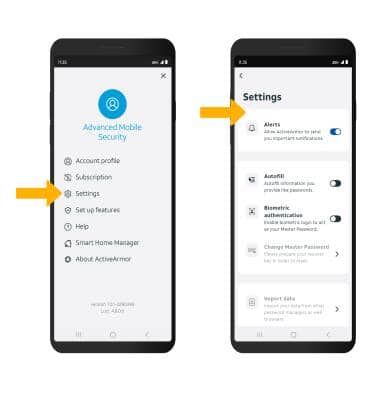
Access settings
From the AT&T ActiveArmor screen, select the

Menu icon. Select Settings, then edit settings as desired.