Set up Voicemail or Answering Machine
Set up Voicemail or Answering Machine

Connect your device to a home answering machine to record voicemails.
-
Voicemail is included with your service and is free of charge.

-
To set up your voicemail, dial “1” on your connected home phone. Follow the voice prompts to create a password to access your voicemail and record a personal greeting or use a default greeting. For additional help, click here.

-
Plug the phone cable from your answering machine into the Phone 2 port on the back of the Wireless Home Phone Base Unit.
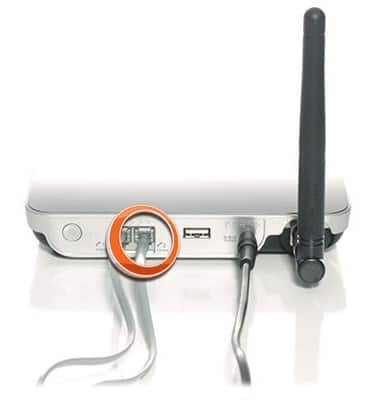
-
Set your answering machine to pickup calls in fewer than 5 rings.
