Access, Store Photos & Videos
Access, Store Photos & Videos

Learn how to access and store your photos and videos.
In this tutorial, you will learn how to:
• Access photos and videos
• Set storage location
Access photos and videos
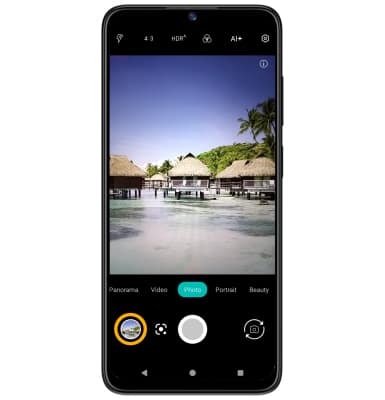
From the Camera app, select the Gallery icon.
Note: Alternately, from the home screen, select the  Photos app.
Set storage location
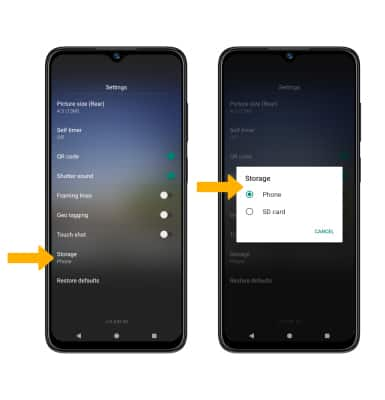
1. From the Camera app, select the

Settings icon.
2. Select Storage, then select the desired location.
Note: Storage is only accessible if an SD card is installed.