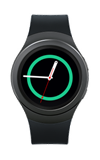
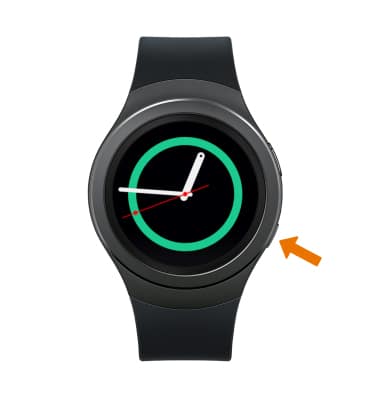
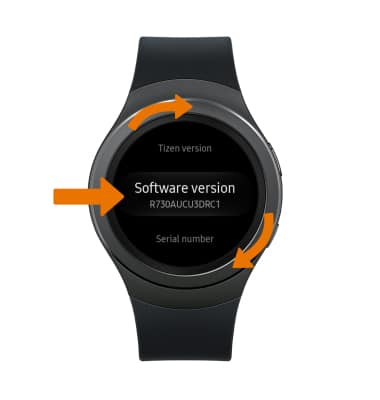
- VER LA VERSIÓN DE SOFTWARE: en la pantalla del reloj, oprime el botón Power/Home.
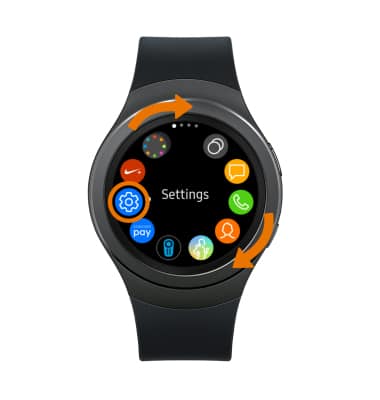
- Rota el bisel y selecciona la aplicación Settings.
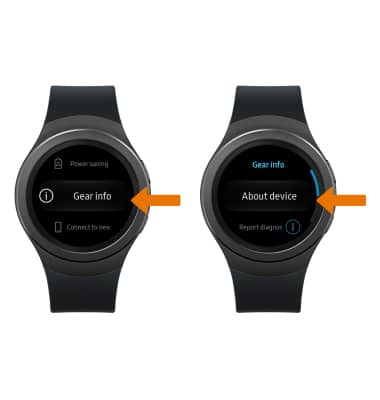
- Selecciona Gear info, luego About device.
- Gira el bisel hasta Software version.
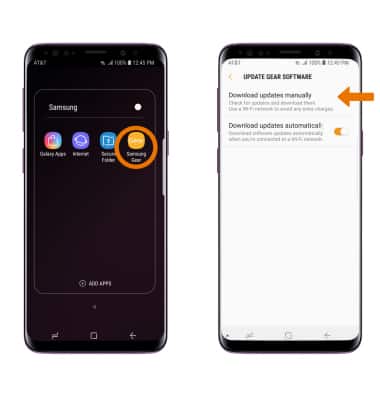
- VERIFICAR ACTUALIZACIONES: en el dispositivo complementario, ve a la aplicación Samsung Gear > SETTINGS > About Gear > Update Gear Software > Download update manually.
Versión de software
Samsung Gear S2 (R730A)
Versión de software
Determina la versión de tu software actual y busca actualizaciones.
INSTRUCTIONS & INFO
 Las imágenes y los pasos de este tutorial reflejan la versión del software Tizen 2.3.2.7. Mantente actualizado al verificar regularmente las actualizaciones de software, que a menudo incluyen parches de seguridad importantes y mejoras en el rendimiento. Antes de descargar las actualizaciones, asegúrate de estar conectado a una red de Wi-Fi o móvil confiable para una experiencia sin inconvenientes.