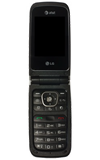
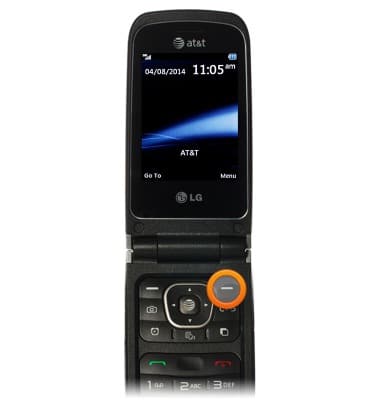
- Desde la pantalla de inicio, oprime el botón de funciones derecho.
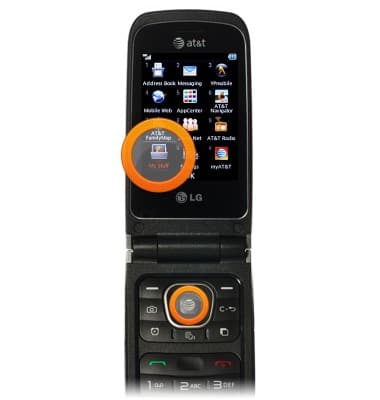
- Ve hasta My Stuff y luego oprime la tecla central de navegación.
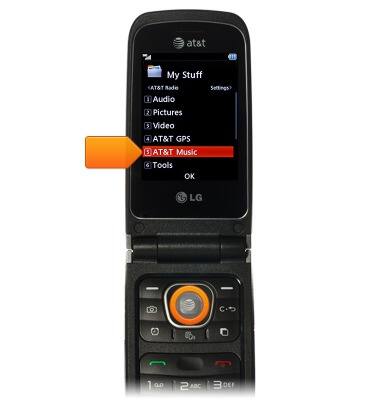
- Ve hasta AT&T Music y luego oprime la tecla de navegación central.
- Ve hasta Music Player y luego oprime la tecla de navegación central.
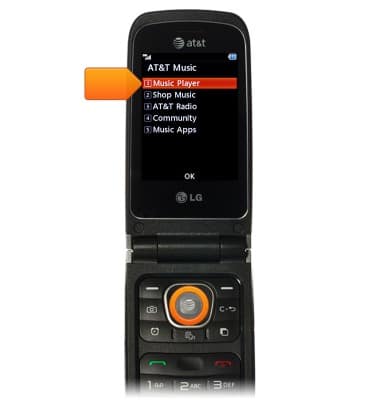
- Ve hasta la categoría deseada, luego oprime la tecla central de navegación.
Importante: Este tutorial selecciona "All Songs".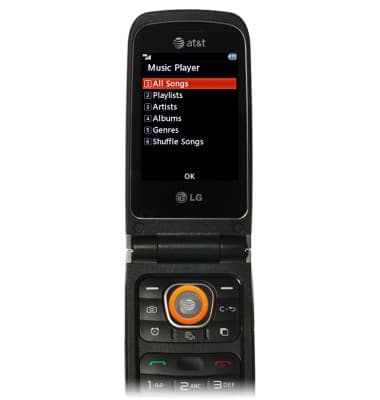
- Ve hasta la canción deseada, luego oprime la tecla central de navigación para reproducir.
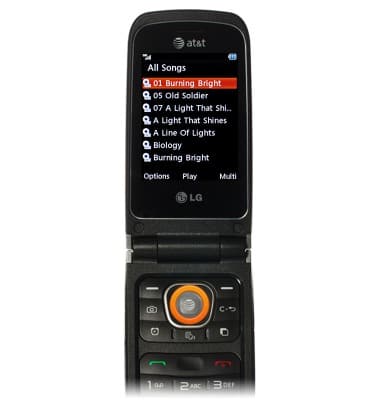
- Oprime la tecla central de navegación de nuevo para pausar.
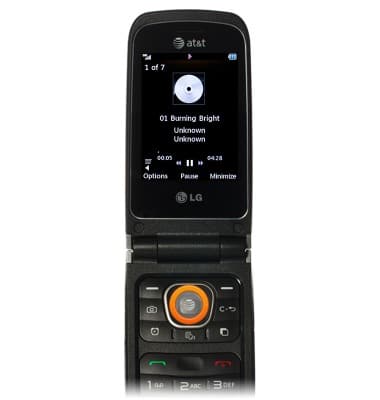
- Oprime las teclas de navegación izquierda y derecha para avanzar y retroceder. Mantén oprimido para avanzar y retroceder rápidamente.
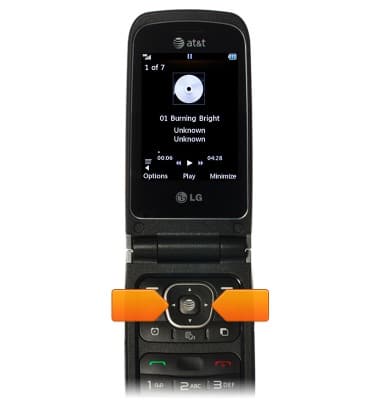
Reproducir música
LG A340
Reproducir música
Escuchar música, apagar el reproductor de música.
INSTRUCTIONS & INFO