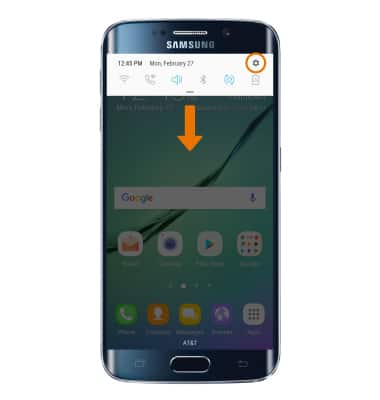
- ENCENDER/APAGAR EL HOTSPOT MÓVIL: desliza hacia abajo la barra de notificaciones, luego selecciona el ícono Settings.
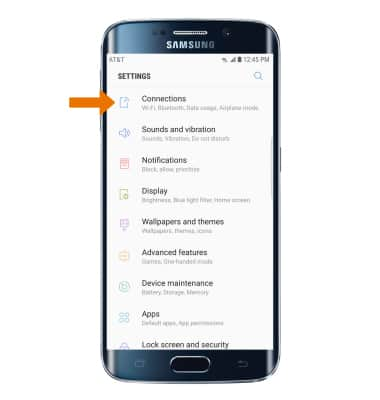
- Selecciona Connections.
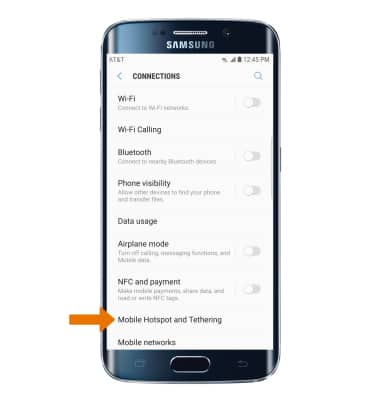
- Selecciona Mobile Hotspot and Tethering.
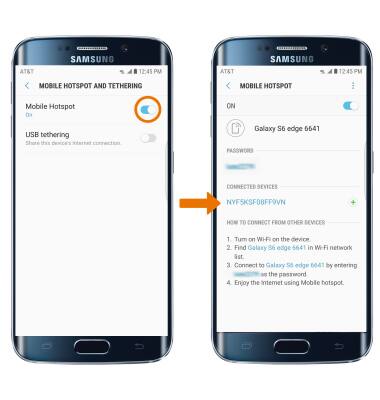
- Selecciona el botón Mobile Hotspot para activar o desactivar el hotspot móvil.
Importante: Se te indicará que desactives Wi-Fi cuando actives Mobile Hotspot. Selecciona OK.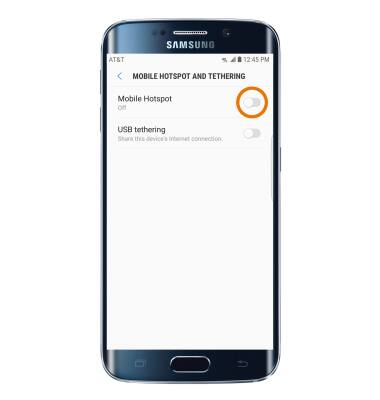
- CONFIGURAR EL HOTSPOT: selecciona Mobile Hotspot.
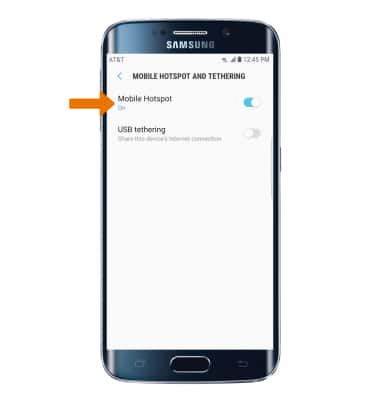
- Selecciona el ícono Menu, luego Configure Mobile Hotspot.
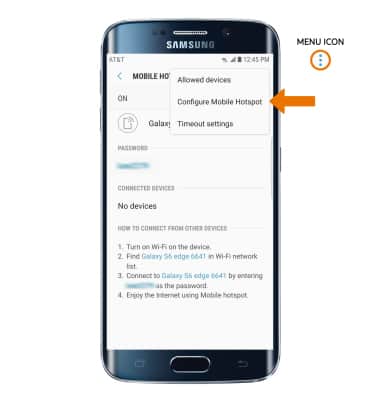
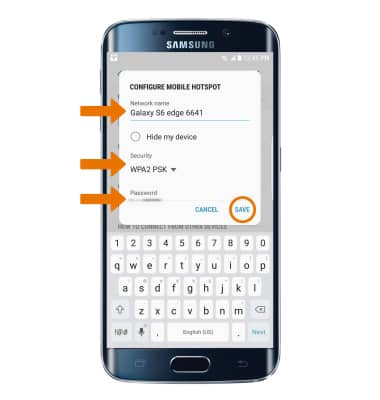
- Desde aquí, puedes cambiar el nombre de la red, la seguridad y la contraseña. Selecciona e ingresa las configuraciones de red que desees, luego selecciona SAVE.
- Cuando el hotspot móvil está activado, aparecerá el ícono Mobile Hotspot en la barra de notificaciones.
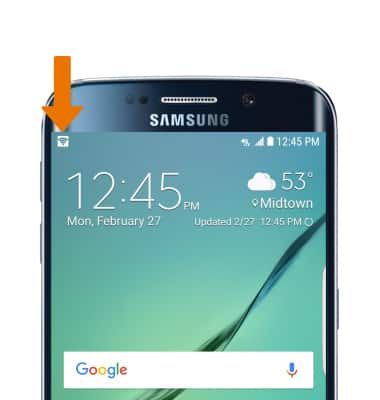
- VER DISPOSITIVOS CONECTADOS: deslízate hacia abajo desde la barra de notificaciones y luego selecciona el ícono Settings > Connections > Mobile Hotspot and Tethering > Mobile Hotspot. Aquí puedes ver la lista de DISPOSITIVOS CONECTADOS.
Hotspot móvil
Samsung Galaxy S6 edge (G925A)
Hotspot móvil
Configura tu dispositivo como un hotspot personal y comparte tu conexión de datos con dispositivos compatibles con Wi-Fi.
Cómo configurar una zona de conexión móvil personal
Conoce lo que necesitas para usar tu smartphone como un hotspot móvil personal y cómo configurarlo.
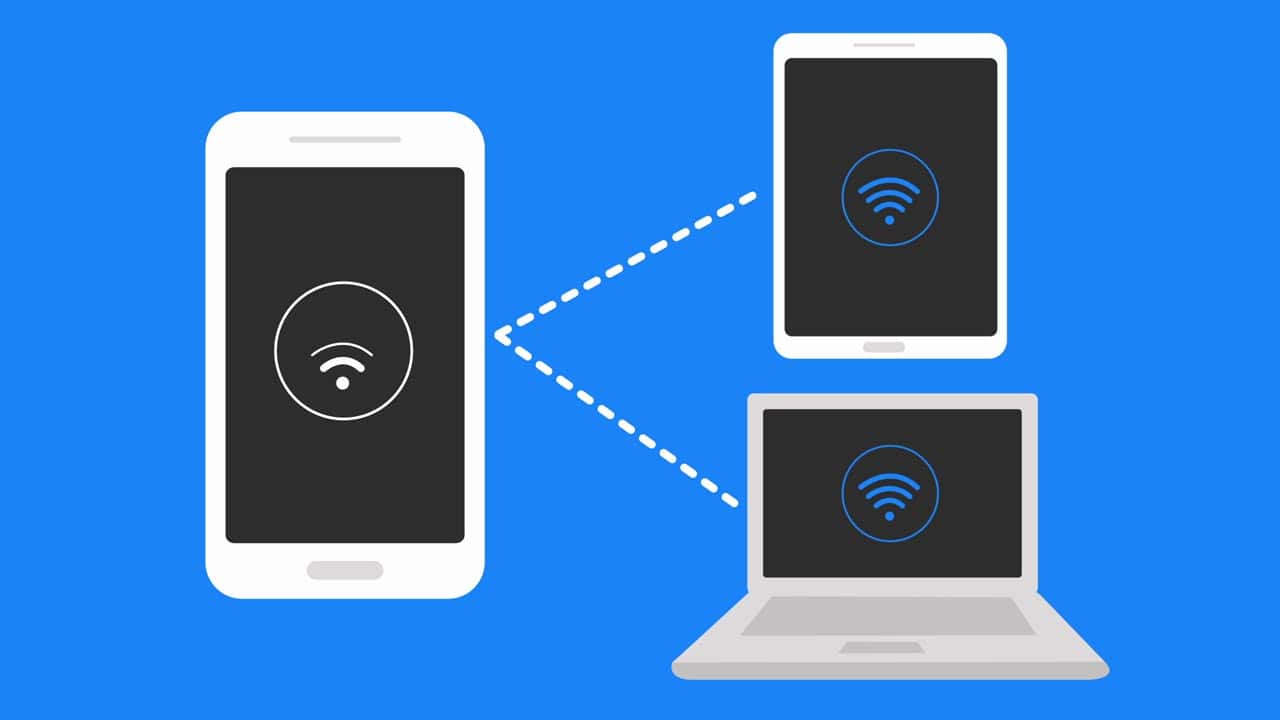
Cómo configurar una zona de conexión móvil personal
2:03
INSTRUCTIONS & INFO

Se requiere un plan de datos elegible, más información.