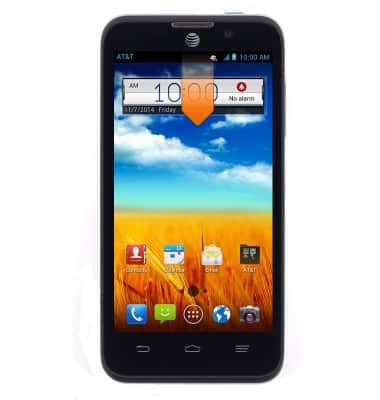
- Arrastra la barra de notificaciones hacia abajo.
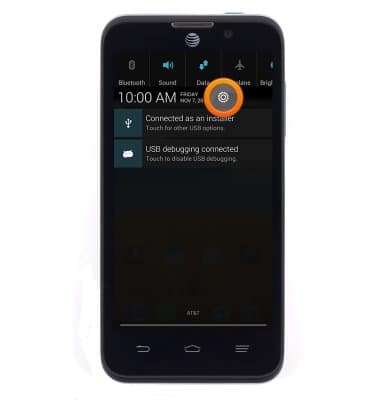
- Toca el ícono Settings.
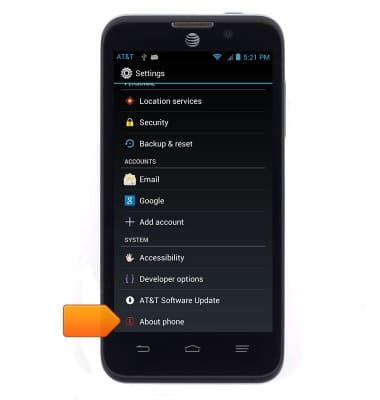
- Desplázate y luego toca About phone.
- Toca Status.
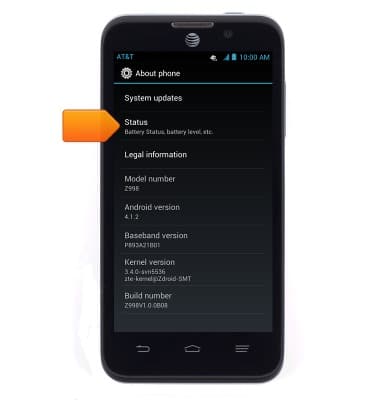
- Desplázate para ver el IMEI y el número de serie.
Importante: También puedes ver tu IMEI al ingresar *#06# desde el teclado.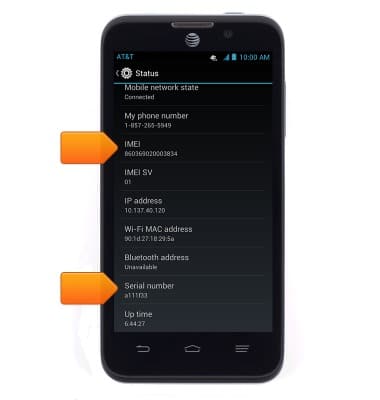
Buscar IMEI y número de serie
ZTE Z998
Buscar IMEI y número de serie
Mira el número IMEI, del teléfono, SIM (ICCID) y de serie del dispositivo.
INSTRUCTIONS & INFO