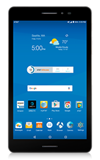
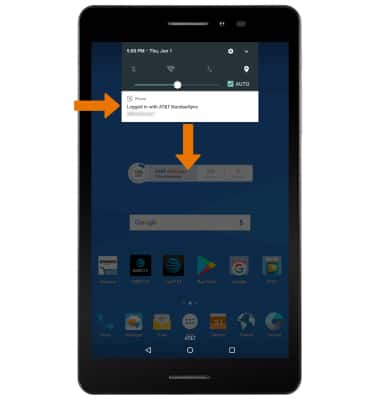
- TENER ACCESO A NOTIFICACIONES: deslízate hacia abajo desde la barra de notificaciones. Se mostrarán las notificaciones.
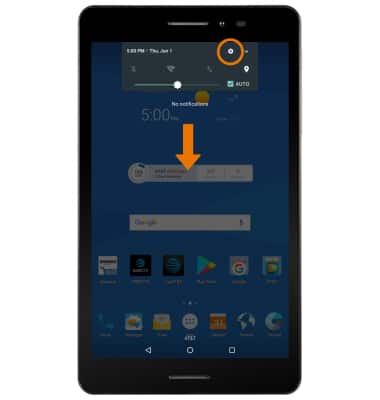
- ACTIVAR/DESACTIVAR NOTIFICACIONES: desplázate hacia abajo desde la barra de notificaciones y luego selecciona el ícono Settings.
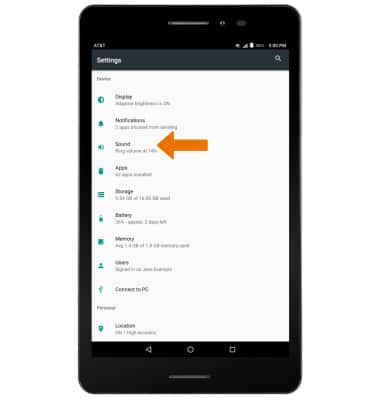
- Selecciona Sound.
- Selecciona Notification mode, y luego la opción que desees.
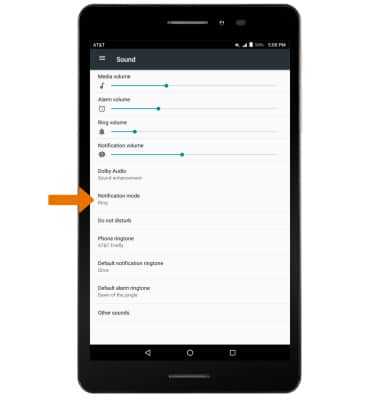
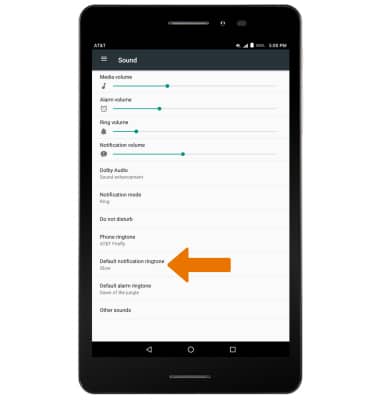
- CAMBIAR TONOS DE TIMBRE DE NOTIFICACIONES: en la pantalla Sound, selecciona Default notification ringtone.
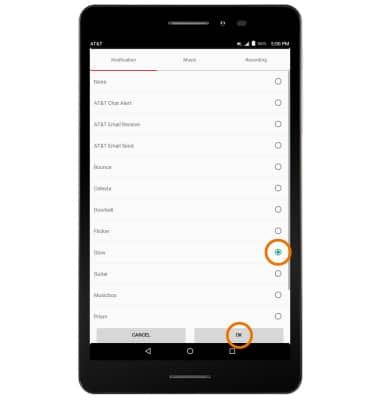
- Elige la opción que desees y luego selecciona OK.
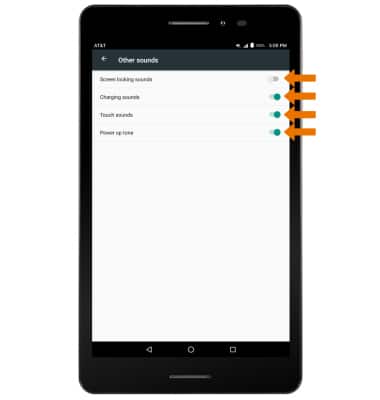
- TENER ACCESO A LAS CONFIGURACIONES AVANZADAS DE NOTIFICACIONES: en la pestaña Sounds & notifications, selecciona Other sounds.
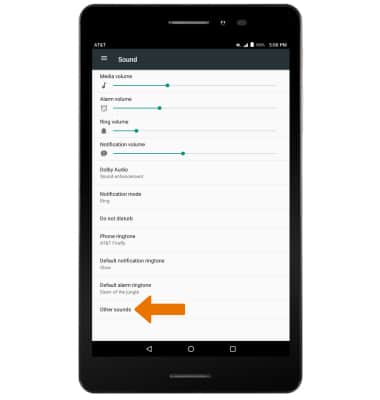
- Edita las configuraciones de notificaciones según tus preferencias.
Notificaciones
AT&T Trek 2 HD (K88)
Notificaciones
Aprende a tener acceso y ajustar las configuraciones de notificaciones y activar y desactivar las notificaciones.
INSTRUCTIONS & INFO