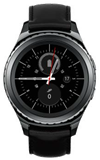
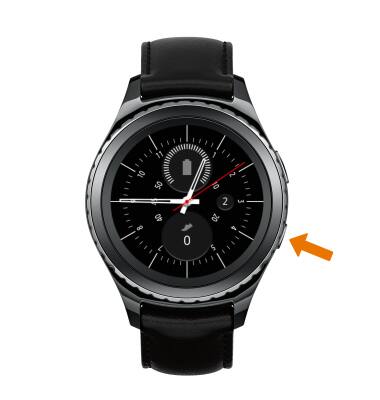
- TENER ACCESO A LAS CONFIGURACIONES DEL SERVICIO DE MENSAJES: en la pantalla del reloj, oprime el botón Power/Home.
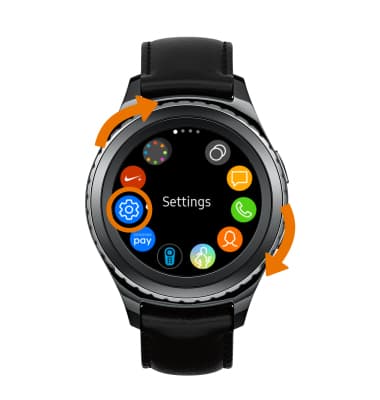
- Gira el bisel y selecciona el ícono Settings.
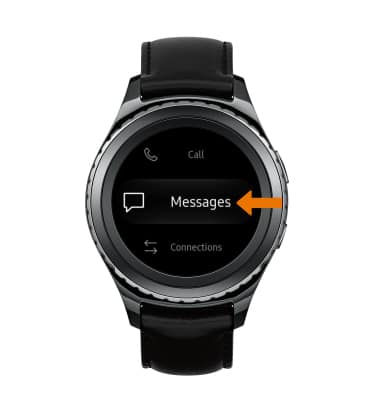
- Desplázate y selecciona Messages.
- AJUSTAR LAS CONFIGURACIONES DE ALERTA DE EMERGENCIA: selecciona Emergency Alerts > Alert Types > selecciona la alerta que desees para activarla o desactivarla.
Importante: Obtén detalles sobre Alertas de emergencia por servicio móvil (WEA).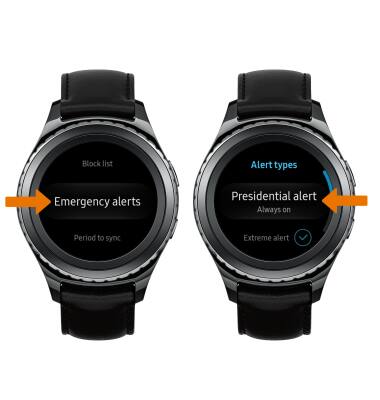
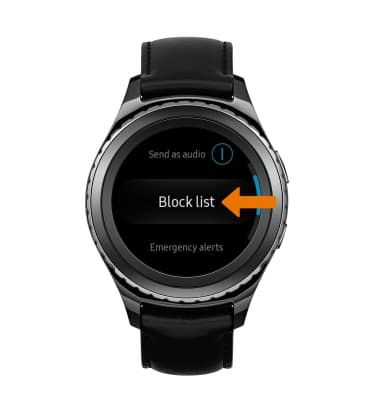
- AJUSTAR LAS CONFIGURACIONES DEL CORREO NO SOLICITADO: en la pantalla Messages, selecciona Block list.
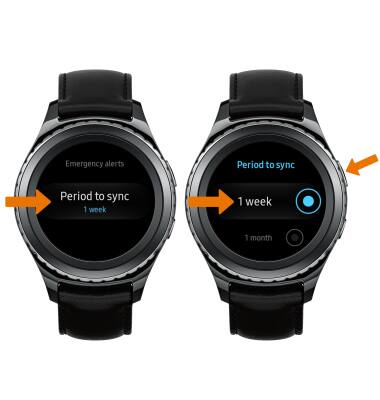
- EDITAR CONFIGURACIONES DE SINCRONIZACIÓN: selecciona Period to sync > la frecuencia de sincronización que desees > botón Back.
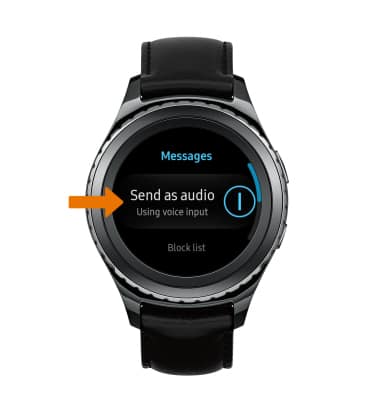
- ENCENDER/APAGAR ENTRADAS DE VOZ: selecciona Send as audio para encender/apagar las entradas de voz.
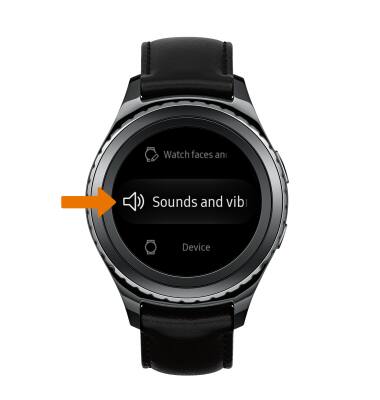
- AJUSTA SONIDOS Y ALERTAS DE NOTIFICACIÓN: desde la pantalla Settings, selecciona Sounds and vibrations.
Configuración de mensajería
Samsung Gear S2 classic (R735A)
Configuración de mensajería
Ten acceso a configuraciones de mensaje, ajusta las configuraciones de alerta de emergencia, ajusta las configuraciones de correo no solicitado. Edita configuraciones de sincronización y más.
INSTRUCTIONS & INFO