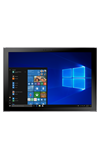
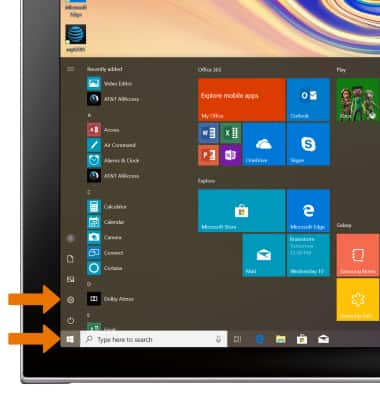
OBTENER ACCESO A LAS CONFIGURACIONES DE LAS NOTIFICACIONES: desde la pantalla principal, selecciona el ícono Start, luego selecciona el ícono Settings.
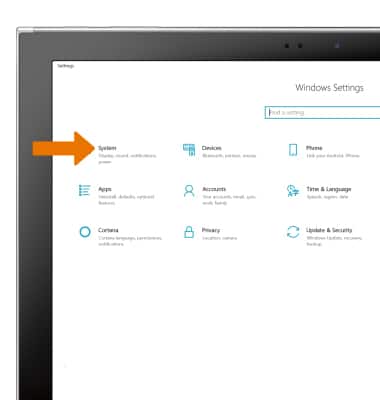
- Selecciona System.
- Selecciona la pestaña Notifications & actions, luego desplázate y selecciona la aplicación deseada.
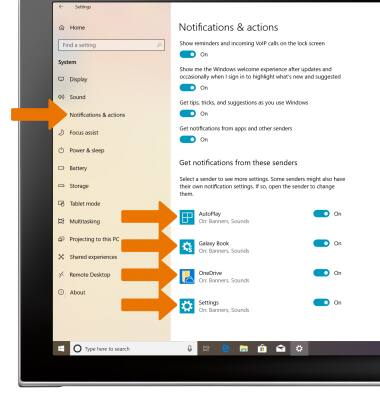
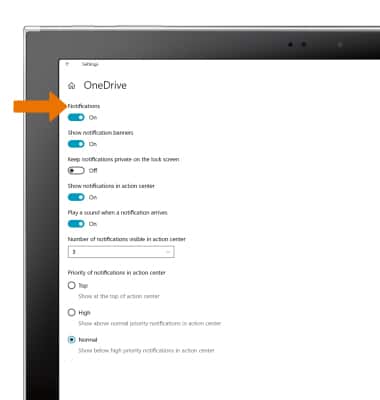
- Edita las configuraciones de notificaciones según tus preferencias.
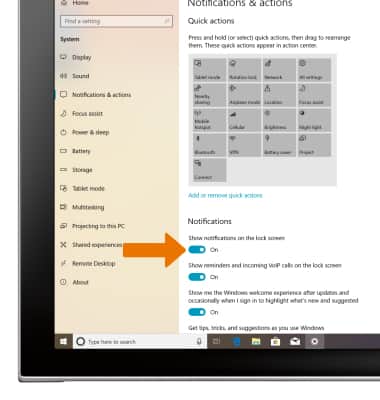
- Para permitir que las notificaciones aparezcan en la pantalla de bloqueo, en la pestaña Notifications & actions, selecciona el botón Show notifications on the lock screen.
Notificaciones y alertas
Samsung Galaxy Book2 (W737A)
Notificaciones y alertas
Aprende a tener acceso y ajustar las configuraciones de notificaciones y activar y desactivar las notificaciones.
INSTRUCTIONS & INFO