Cambiar APN
1. En la pantalla principal del dispositivo, selecciona Settings.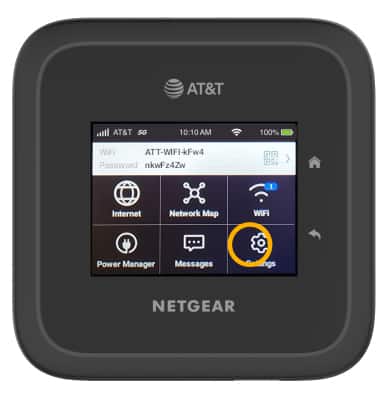
2. Selecciona Móvil.
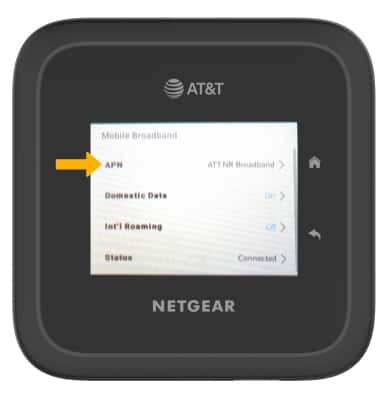
3. Selecciona APN.
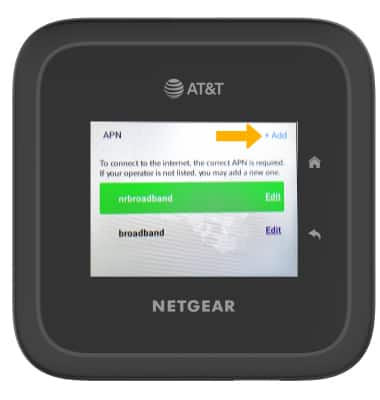
4. Selecciona Add.
5. Edita APN settings como lo desees, luego selecciona Save.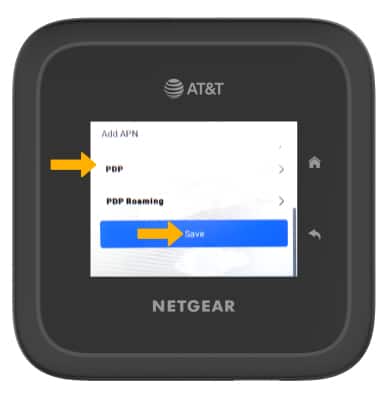
1. En la pantalla principal del dispositivo, selecciona Settings.
2. Selecciona Móvil.
3. Selecciona APN.
4. Selecciona Add.
5. Edita APN settings como lo desees, luego selecciona Save.