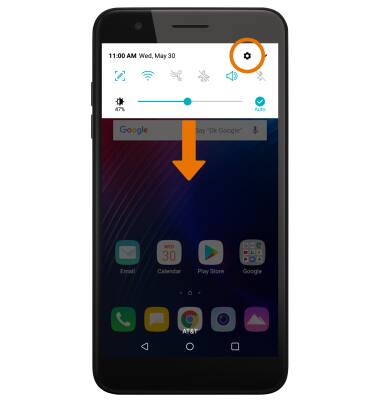
- Swipe down from the Notification bar, then select the Settings icon.
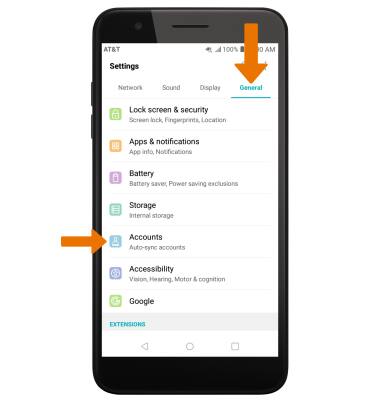
- Select the General tab, then select Accounts.
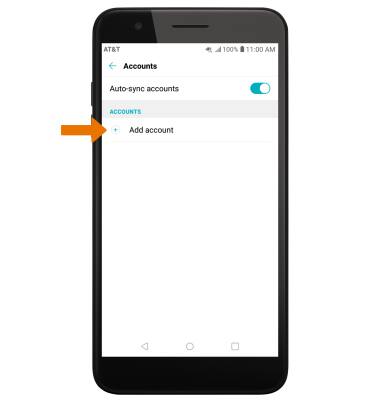
- Select Add account.
- Select Google.
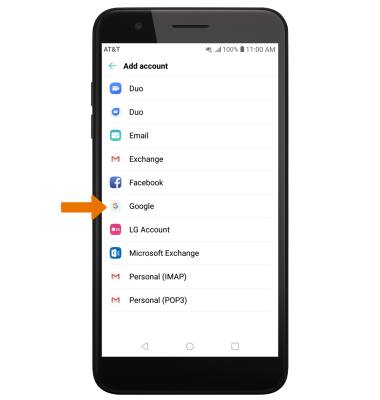
- Enter your Google Email address or phone number, then select NEXT.
Note: If you need a Google account, select Create account then follow the prompts, or visit accounts.google.com/signup.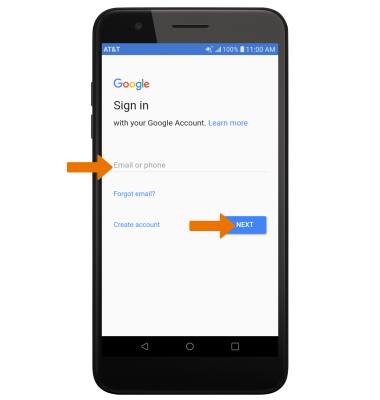
- Enter your password, then select NEXT.
Note: If you have forgotten your password, select Forgot password? and follow the prompts.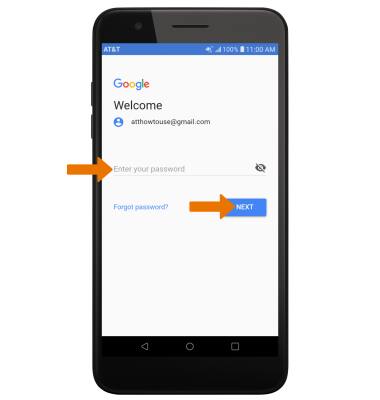
- Review the Terms of Service and Privacy Policy prompt, then select I AGREE.
Note: Select Terms of Service or Privacy Policy to review as desired.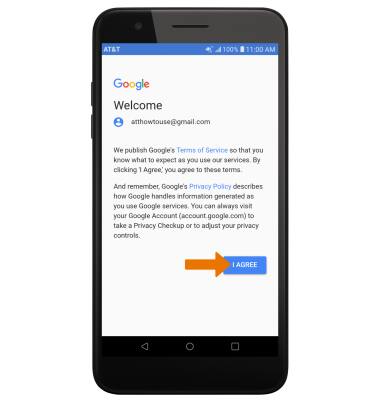
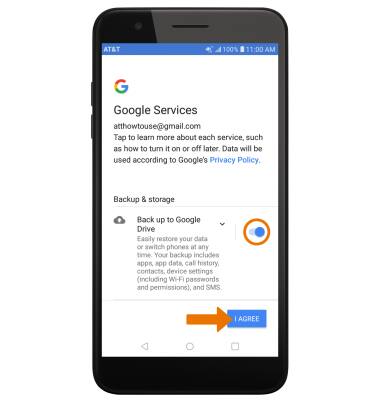
- Review the Google Services prompt, then select the Back up to Google Drive switch if you wish to do so. Select I AGREE to complete Google Sign-In.
Google Sign-In
LG Phoenix Plus / K30 (LM-X410AS)
Google Sign-In
Registering a Google account allows you to download and purchase content in the Google Play Store, access email through the Gmail application, receive personalized Google Search results, and have your account automatically logged in for all other Google-based services on your device.
INSTRUCTIONS & INFO