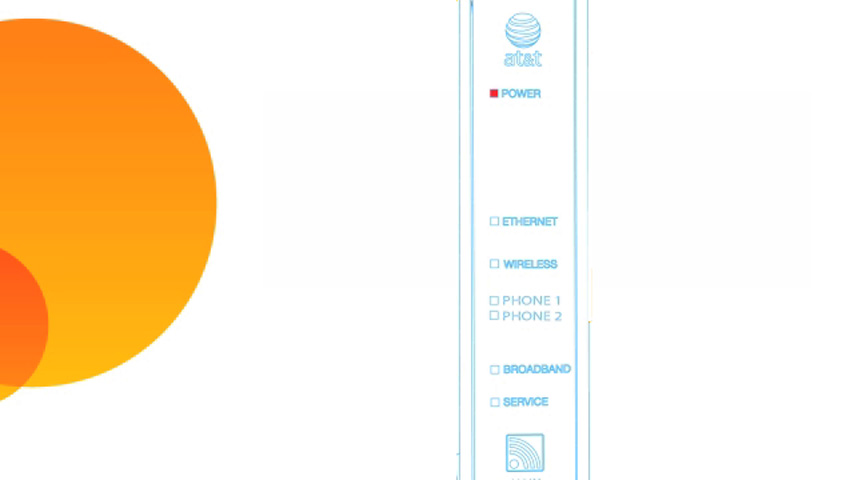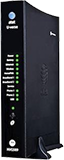
Power light
- Green (solid): Power is on
- Green (flashing): Power-On Self-Test (POST) is in progress.
- Red (flashing): A POST failure (not bootable) or device malfunction occurred.
- Orange/Amber: Firmware upgrade is in progress.
- Off: The unit has no AC power.
Battery light
- Green (solid): Battery is in place but isn’t being used.
- Green (flashing): The battery is charging.
- Red (solid): The battery backup is faulty.
- Red (flashing): The battery should be replaced.
- Amber (solid): The battery power is low.
- Amber (flashing): The gateway is using battery power.
- Off: There isn’t a battery, or the battery isn’t charged.
Ethernet light
- Green (solid): A computer or device is connected to an Ethernet port.
- Green (flickering): There’s activity from a device connected to an Ethernet port. The flicker is synchronized to data traffic.
Wireless light
- Green (solid): A computer or device is connected by Wi-Fi® to the gateway.
- Green (flickering): There’s activity from a device connected through Wi-Fi. The flicker is synchronized to data traffic.
HomePNA light
- Green (solid): A set-top box or other device is connected to the coaxial port.
- Green (flickering): There’s activity from devices connected to the coaxial port. The flicker is synchronized to data traffic.
Broadband 1, 2 light
- Green (solid): The gateway is connected to our network.
- Green (flashing): The gateway is trying to connect to our network.
- Green & red (flashing): The gateway has been trying to connect to our network for more than three minutes.
- Red (flashing): The gateway can't connect to our network or isn’t detecting a DSL signal.
Service
- Green (solid): The gateway has obtained an IP address from our network. The connection is active.
- Green (flashing): The gateway is trying to obtain an IP address.
- Red (solid): Internet service authentication has failed.
Phone 1, 2 light
- Green (solid): A phone is connected and registered.
- Green (flashing): A phone is off the hook on the associated line.
USB light
- Green (solid): A device is connected to the USB port.
- Green (flickering): There’s activity from a device connected to the USB port. The flicker is synchronized to data traffic.
Status lights during firmware upgrades
Firmware updates keep your Wi-Fi gateway running smoothly. During the software installation, you’ll lose internet and phone service. The lights will function as follows:
- As firmware is being loaded into flash, the lights will operate normally as described.
- The installation will take a few minutes. During this phase, the Power light will flash Orange/Amber during firmware upgrade (flash writing to memory) and all other lights will be off.