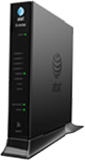
The color and state of your lights let you know the status of your Pace 5168.
Power light
- Green (solid): Power is on.
- Red: The gateway may have a fault with its power supply.
Ethernet
- Green (solid): A computer or other device is connected to an Ethernet port.
- Green (flickering): There is activity from devices connected to an Ethernet port. The flickering of the light is synchronized to data traffic.
Wireless
- Green (solid): A wireless computer or other device is connected to the gateway.
- Green (flickering): There is inbound or outbound activity. The flickering of the light is synchronized to data traffic.
Home PNA
- Green (solid): A set-top box or other device is connected to the coaxial port.
- Green (flickering): There is activity from devices connected to the coaxial port. The flickering of the light is synchronized to data traffic.
Phone 1 & 2
- Green (solid): A phone is connected.
- Green (flashing): The associated phone line is active.
USB
- Green (solid): A device is connected to the USB port.
- Green (flashing): The USB device is active.
Broadband 1 & 2
- Green (solid): The gateway is connected to the provider network.
- Green (flashing): The gateway is trying to connect to the service provider network. The light might flash for a few moments while the gateway connects.
- Green & red (flashing): The gateway has been trying to connect to the service provider network for more than three minutes.
- Red (flashing): The gateway can’t connect to service provider network or there isn’t a DSL signal detected.
- Off: The gateway is turned off or the associated line is not connected or not in use.
Service
- Green (solid): The gateway is connected to the service provider network and has obtained a WAN IP address.
- Green (fast flashing): The gateway is trying to obtain an IP address.
- Red: The service provider network isn’t responding, the gateway has been configured incorrectly, or there was an authentication failure.
WPS
- Green (solid): WPS (Wi-Fi Protected Setup) is configuring the gateway.