Setting up iPhone manually as a new device
Setting up iPhone manually as a new device
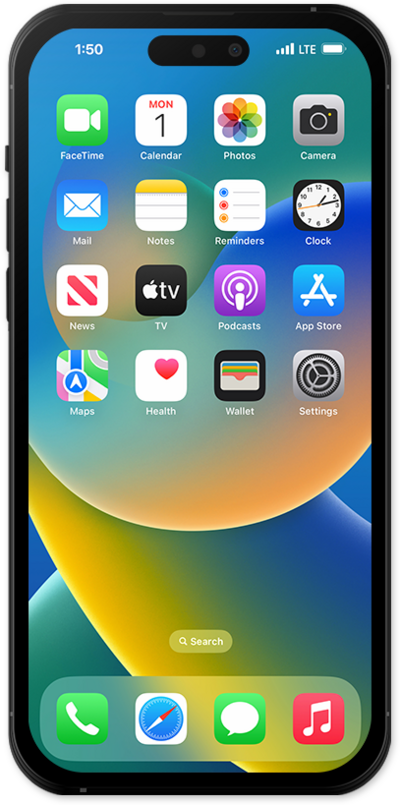
Hold the Side button to turn on your iPhone, and then swipe up from the bottom of the “Hello” screen to start the setup process.
If you are using a device with a home button, press the Home button instead of swiping up from the bottom of your screen.
Select your language, and then select your country or region.
Select the appearance for your device and then tap Continue.
You can use another iOS device to automatically set up your new iPhone. Plug in both devices, place them next to each other, confirm your Apple ID on your new iPhone, and tap Continue. You’ll then use your new iPhone’s viewfinder to scan an image on your second iOS device, and you’ll need to enter your second iOS device’s passcode on your new device to start the data transfer. For more assistance, visit Setting up iPhone with Quick Start.
Otherwise, tap Set Up Without Another Device to continue the setup process.
Select your Wi-Fi network, enter its password, and tap Join.
Tap Learn More to view Apple’s data-collection and privacy policies, including information about how your information is shared and stored. Otherwise, tap Continue to proceed.
Tap Adult.
For this step we are setting up this iPhone for an adult, but if you are setting up for a child family member select Child or Teen to use parental controls and safety features.
Tap Continue and follow the instructions to set up Face ID on your iPhone, an important authentication system that increases your device’s security. Once complete, you’ll be able to use Face ID to unlock your iPhone, confirm purchases, and sign into websites (on Safari).
If your iPhone has a Home button with a fingerprint sensor instead of a TrueDepth camera, you may be prompted to set up Touch ID instead.
Tap Don't Use Face ID with a Mask.
Depending on your device, you may not see this option.
Tap Continue.
Even if you’ve set up Face ID or Touch ID, you’ll also need to enter in a passcode that you’ll use to unlock your device when either is unavailable. Tap Passcode Options to switch between a custom alphanumeric password, a four-digit passcode, or a six-digit passcode.
Tap Don't Transfer Anything.
Tap From Android if you would like to transfer your information from an Android phone. You must have the Move to iOS app installed on your Android phone to use this method.
Enter your Apple ID, tap Continue, enter your password, and tap Continue again. You may be prompted to enter a two-factor authentication code to finish logging in, which will be sent to one of your other Apple devices.
You will then be asked to agree to Apple’s Terms and Conditions to continue setup.
Tap Customize to proceed.
Some apps may require your precise or approximate location to function. You can turn location services on and off within the Privacy section of your iPhone’s Settings app, or assign specific permissions for individual apps.
Tap Continue.
Tap either Turn On Location Services or Set Up Later to continue.
If you previously signed into an Apple ID during the iPhone setup process, you’ll be able to tap Continue to set up Apple Pay, which allows you to link your debit or credit cards to your iPhone. You can then use your iPhone to pay for digital and physical items or transfer money to your contacts.
Tap Continue to setup Screen time.
Screen Time, which helps you keep track of your iPhone use, set time limits for apps, or limit the apps and contacts you can interact with between set times during the day. If you’re using iOS' Family Sharing features, you can also set limits for your kids' devices.
Tap Continue.
Tap Share with App Developers to allow Apple to send anonymous reports about your app activity and issues you’re having to an app’s developer. Otherwise, tap Don’t Share.
Select whether you would like a Light or Dark look for your iPhone, and tap Continue. You can change this later in Settings under Display & Brightness, or even have your iPhone switch appearances automatically.
For this tutorial we are using Light mode. You can switch to Dark mode to have the system use a darker color palette for your device. Dark mode can help save battery as well.
Tap Set Up Later.
Tap Not Now.
Tap Continue.
Tap Continue to set up Siri, the digital assistant built into iOS. You may be asked to say a few phrases as part of the setup process.
You’ll then be able to launch Siri by saying, “Hey, Siri!” or by holding down your iPhone’s Power or Action button for a few seconds.
Tap Continue.
Tap Get Started to finish the setup.
You've completed the steps!
