In this tutorial, you will learn how to:
• Locate SIM tray
• Insert or remove SIM card
• Insert or remove SIM card
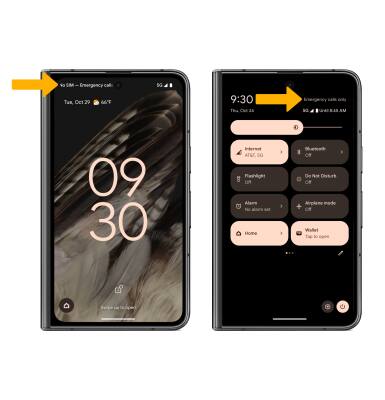
When there is no SIM card in the device, there will be a No SIM notification on the lock screen and in the Expanded Quick Settings.
Locate SIM tray
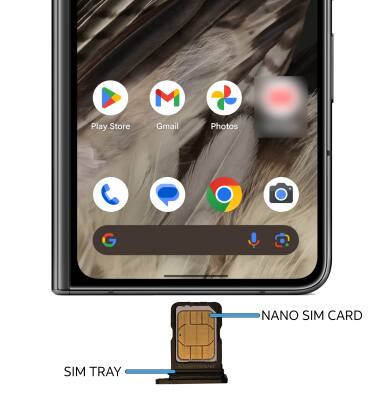
The SIM tray is located on the bottom side of the device. To insert a SIM card, insert a SIM tool into the small hole to eject the SIM tray.
Insert or remove SIM card
Insert or remove the Nano SIM card into the SIM tray with the gold contacts facing up and the notched edge on the upper right. Gently press the SIM card in until it clicks into place.