
 Camera app. Alternatively, from the lock screen, quickly press the Power/Lock button twice.
In this tutorial, you will learn how to:
• Access photos and videos
• Set storage location
Access photos and videos
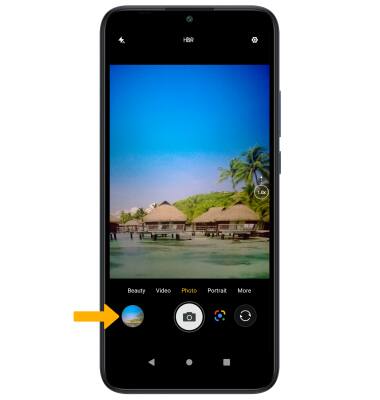
From the Camera app, select the Gallery icon.
Note: Alternately, from the home screen, select the  Photos app.
Set storage location
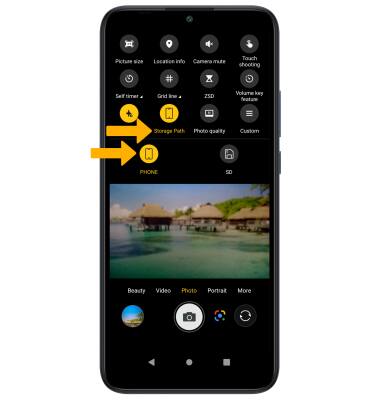
1. From the Camera app, select the  Settings icon.
2. Select Storage Path, then select the desired location.
Note: Storage Path is only accessible if an SD card is installed.