
In this tutorial, you will learn how to:
• Record a video
• Switch between the front and rear cameras
• Focus the camera
• Zoom in and out
• Stop/Pause a recording
• Capture a still image while in video mode
• Access and use Time lapse
• Access and use Slow motion
This tutorial requires you to open the Camera app. From the home screen, select the  Camera app.
Record a video
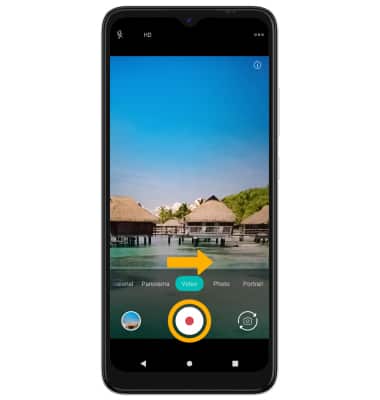
From the Camera screen, swipe right to access Video mode then select the Record icon.
Switch between front and rear cameras
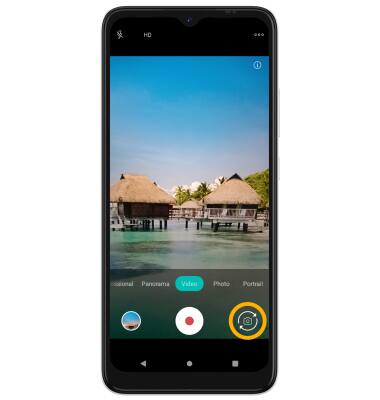
Select the Switch camera icon.
Note: You cannot switch between front and rear facing cameras while recording a video.
Note: You cannot switch between front and rear facing cameras while recording a video.
Focus the camera
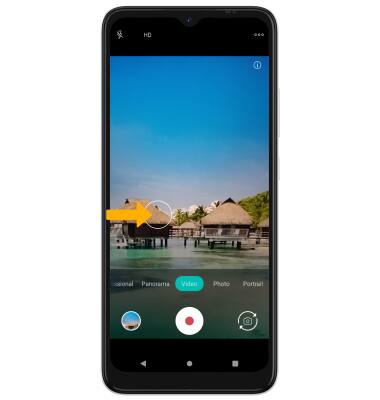
Select the screen in the desired location to focus the camera. A circle will appear when the area is selected.
Zoom in and out
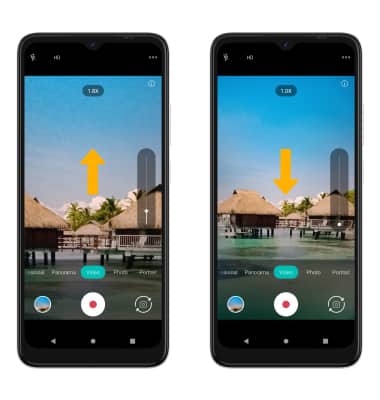
Swipe up to zoom in. Swipe down to zoom out.
Stop/Pause a recording
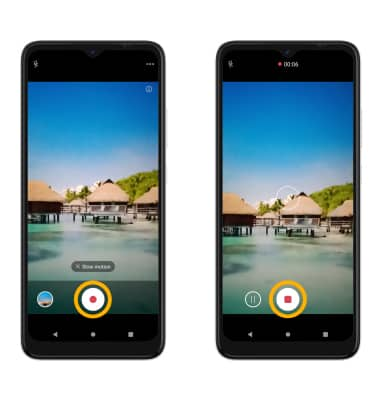
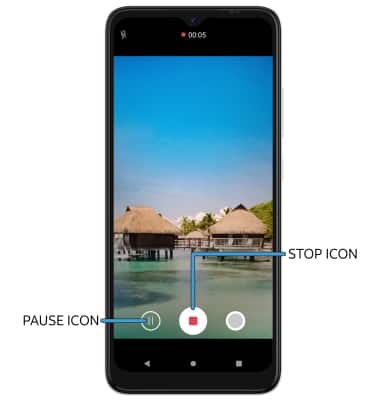
While recording, select the Stop icon to finish recording. Select the Pause icon to pause the recording.
Note: Videos are automatically saved when recording ends.
Note: Videos are automatically saved when recording ends.
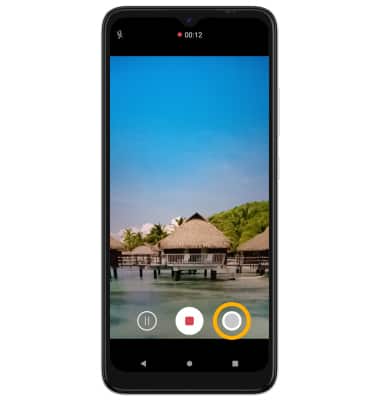
Capture a still image while in video mode
Select the Capture icon.
Access and use Time lapse
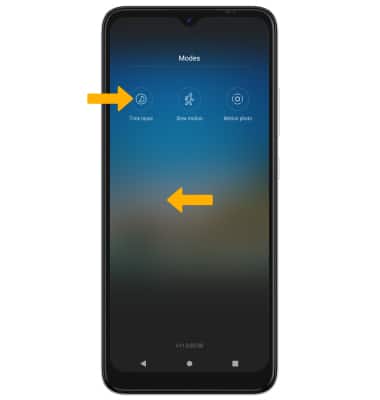
1. Time lapse allows you to capture videos and play them back at a fast playback speed. From the camera screen, swipe left to More then select Time lapse.
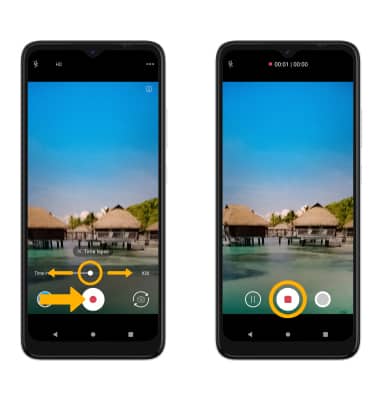
2. Select and drag the Time interval slider to set the playback speed then select the Record icon to begin recording. To stop recording, select the Stop icon. Your device will automatically process the video captured.
2. Select and drag the Time interval slider to set the playback speed then select the Record icon to begin recording. To stop recording, select the Stop icon. Your device will automatically process the video captured.
Access and use Slow motion
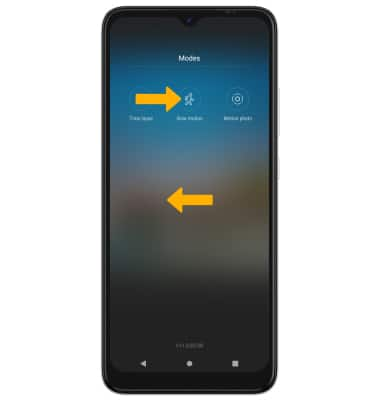
1. Slow motion allows you to capture videos and play them back at a slow playback speed. From the camera screen, swipe left to More then select Slow motion.
2. Select the Record icon to begin recording. To stop recording, select the Stop icon. Your device will automatically process the video captured.
2. Select the Record icon to begin recording. To stop recording, select the Stop icon. Your device will automatically process the video captured.