In this tutorial, you will learn how to:
• View event information
• Edit an event
• Delete an event
View event information
1. Swipe up from the bottom of the clock screen to access the Apps tray, then scroll to and select the  Calendar app.
2. From the upcoming events list, scroll to and select the desired event.

Calendar app.2. From the upcoming events list, scroll to and select the desired event.
Edit an event
1. From the desired event, scroll to and select Show on phone.
Note: Events can only be edited on your connected device. You will only be allowed to edit events you have created.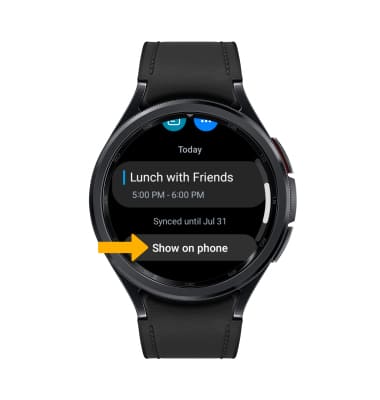
2. From your connected device, edit the event information as desired, then select Save.
Note: Events can only be edited on your connected device. You will only be allowed to edit events you have created.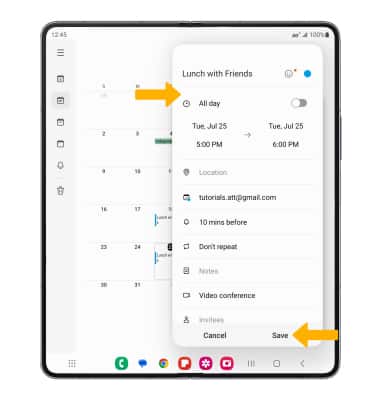
Delete an event
1. From the desired event on your connected device, select Delete. 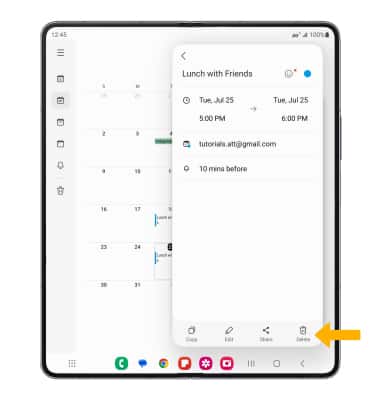
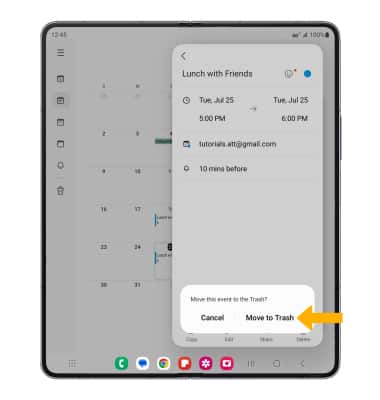
2. Select Move to Trash.
Note: Events can only be deleted from your connected device.