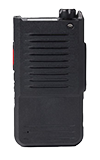

In this tutorial, you will learn how to:
• Turn network time on and off
• Turn network time zone on and off
• Switch time format
Turn network time on and off
1. Press the Rotary knob to access settings.

2. Turn the Rotary knob to System, then press the Rotary knob to select.

3. Turn the Rotary knob to Date & Time, then press the Rotary knob to select.

4. Press the Rotary knob again to enable or disable network time.

Turn network time zone on and off
From the Date & Time options menu, turn the Rotary knob to Network Zone, then press the Rotary knob to turn the network time zone on or off. 
Switch time format
From the Date & Time options menu, turn the Rotary knob to Format, then press the Rotary knob to switch to a 24 hour format.