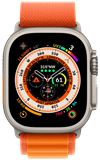
1. From the clock screen, press the Digital Crown/Home button then select the  Settings app.
2. Scroll to and select General, then select About. 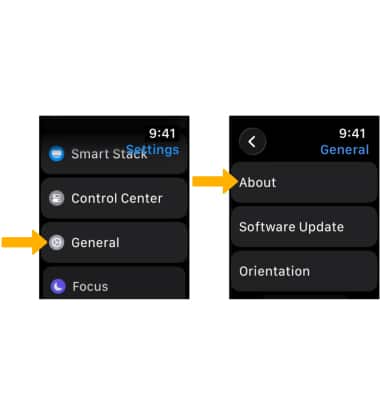
3. Scroll down to view the Serial Number and IMEI.
Note: Alternately, from your paired iPhone, navigate to and select the  Watch app > My Watch tab > select General > select About > IMEI and Serial Number will be displayed.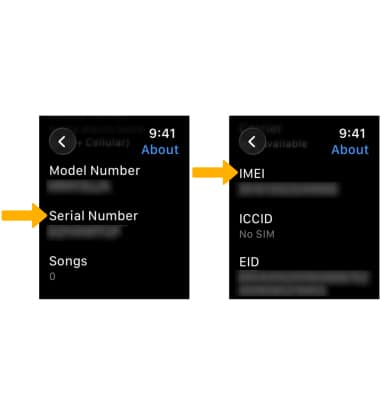
Find IMEI & Serial Number
Apple Watch Ultra
Find IMEI & Serial Number
Learn how to locate the IMEI and serial number for your device.
INSTRUCTIONS & INFO