In this tutorial, you will learn how to:
• Add photos to watch
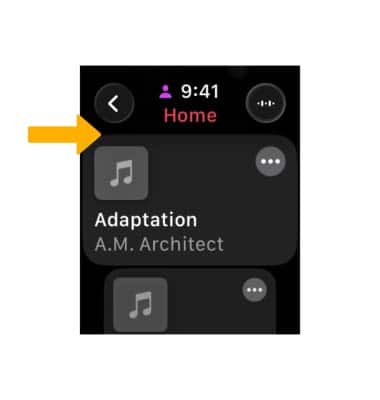
• Add music to watch
Add photos to watch
1. From your paired iPhone, navigate to and select the  Watch app.
2. Scroll to and select Photos, then select Sync Album. 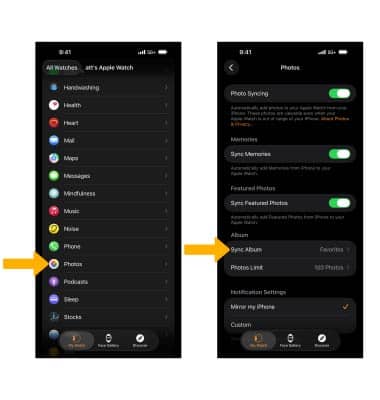
3. Select the desired album. These photos will appear on your watch. 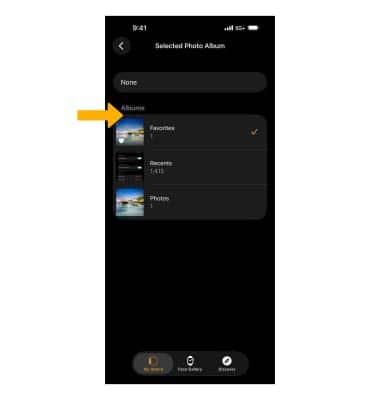
4. To access photos on your Apple Watch, from the clock screen press the Digital Crown/Home button then select the  Photos app. Swipe left or right to scroll through photos.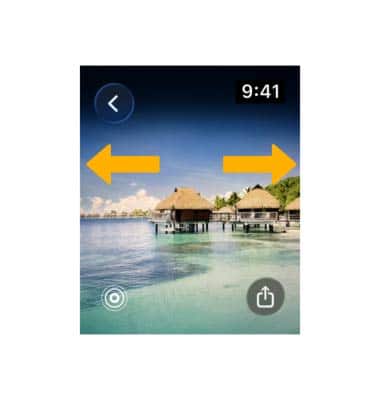
Add music to watch
1. From the Watch app screen, scroll to and select Music then select Add Music.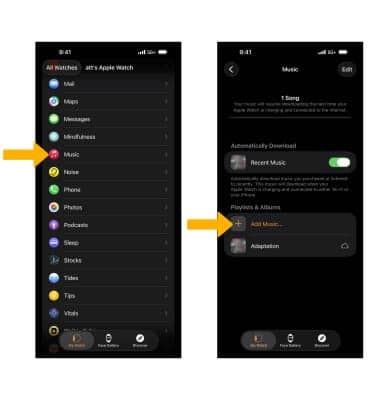
2. Navigate to the desired album, then select the Add music icon. Your music will be added to your watch.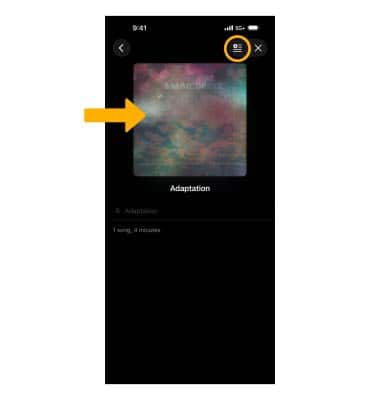
3. To access music on your watch, press the Digital Crown/Home button then select the  Music app. Navigate to and select the desired song.