In this tutorial, you will learn how to:
• Enable or disable Bluetooth
• Pair with a device
• Unpair a device
Enable or disable Bluetooth
1. From the clock screen, press the Digital Crown/Home button then select the  Settings app.
2. Scroll to and select Bluetooth.
Note: To optimize battery life, turn Bluetooth off when not in use. 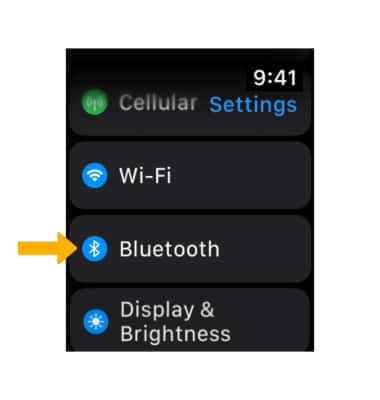
Pair with a device
The device will automatically scan for devices. Available devices will be displayed. To connect to a device, select the desired device.
Note: For additional information on pairing, please see the Apple support article Set up and use third-party Bluetooth accessories. 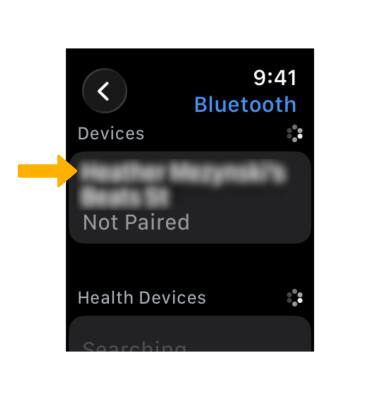
Unpair a device
1. Select the  Info icon next to the desired device.
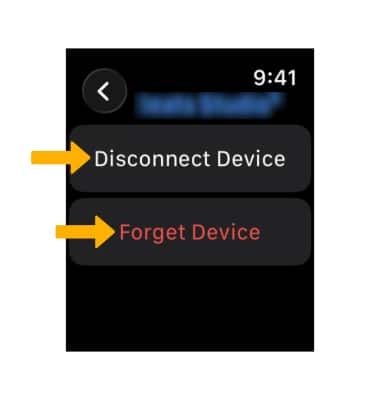
2. Select Disconnect Device to unpair. Select Forget Device to forget the device.