
1. To change your voicemail password, select the  Phone app >
  Menu icon > Settings.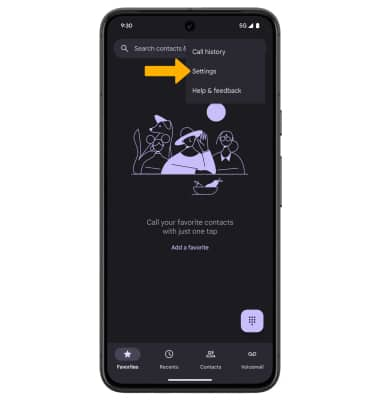
2. From the Settings screen, select  Voicemail. Select Change PIN. Enter your old PIN, then select Continue.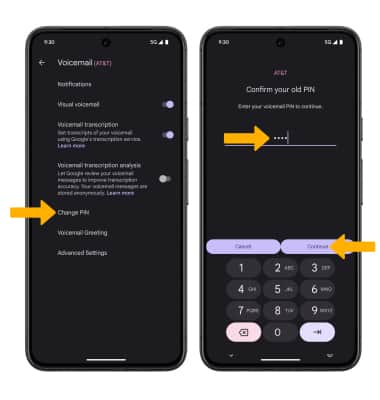
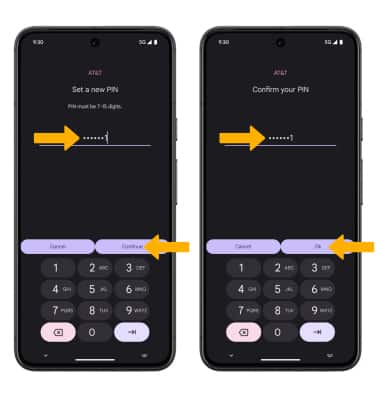
3. Enter a new 7-15 digits PIN, then select Continue. Enter the new 7-15 digits PIN again, then select Ok to confirm.