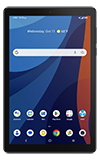
1. From the home screen, select the  Files app.
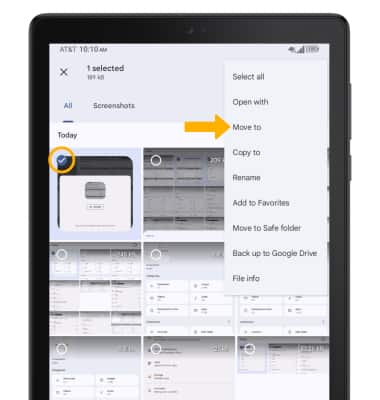
2. Navigate to, then select and hold the desired file(s). Select the  Menu icon, then select Move to.
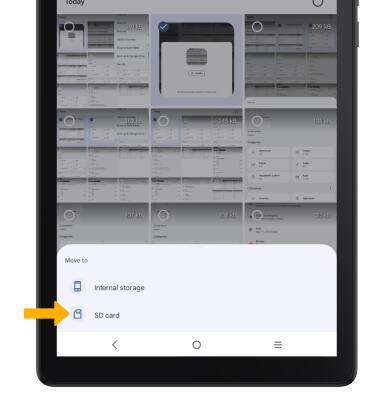
3. Select SD card.
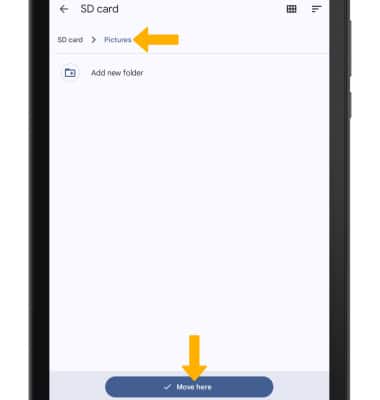
4. Navigate to the desired folder, then select Move here.
Find out how to back up contacts, photos, and files with a memory card to increase device memory or transfer to another device.

1. From the home screen, select the Files app.
2. Navigate to, then select and hold the desired file(s). Select the Menu icon, then select Move to.
3. Select SD card.
4. Navigate to the desired folder, then select Move here.