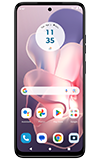
In this tutorial, you will learn how to:
• Access camera settings
• Change the picture size
• Turn the flash on or off
• Set the timer
• Edit camera settings
Access camera settings
From the home screen, select the  Camera app then select the
  Settings icon.
Change the picture size
From the camera screen, select the  Ratio icon then select the desired option.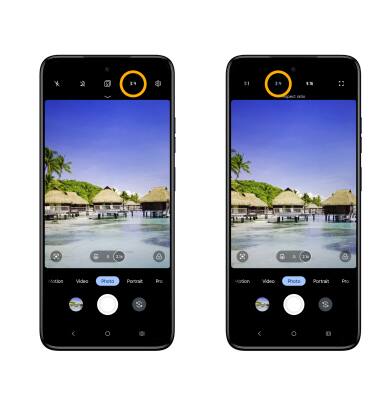
Turn the flash on or off
From the camera screen, select the  Flash icon then select the desired option.
Set the timer
From the camera screen, swipe down from the top of the screen then select the desired option.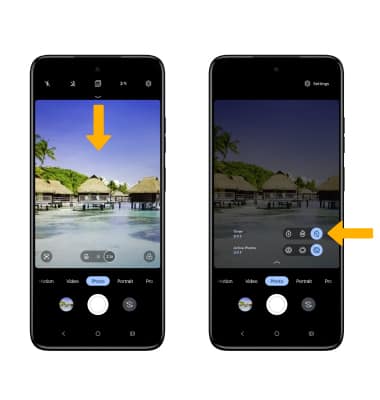
Edit camera settings
From the camera settings screen, select the switch next to the desired feature to turn it on and off.
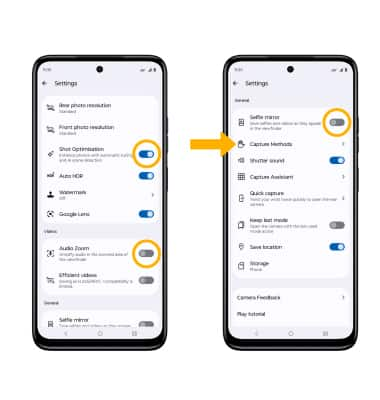
• SHOT OPTIMIZATION: Shot optimization enhances your photos. Select the Shot Optimization switch.
• AUDIO ZOOM: Select the Audio Zoom switch to turn on or off the amplified audio in the zoomed area of the viewfinder.
• SELFIE MIRROR: Scroll to and select the Selfie mirror switch.
• CAPTURE METHODS: Select Capture Methods, then select the desired switch to turn on or off.