 If the AT&T amiGO Tab Jr™ is in Kids Space, you will have to leave Kids Space to access the device's full settings. To leave Kid's Space, select and hold the
  Parent Menu icon > select Exit Kids space > Turn off > enter your password > select Next. For more assistance, visit the
 In this tutorial, you will learn how to:
• View IMEI and Serial number
• View Phone number
View IMEI and Serial number
1. Swipe down from the Notification bar with two fingers, then select the  Settings icon.
2. Scroll to and select System.
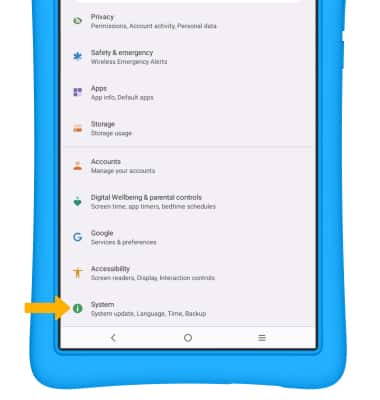
Settings icon. 2. Scroll to and select System.
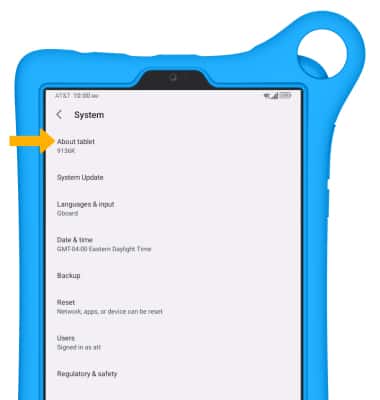
3. Select About tablet.
4. Scroll to and select Status.
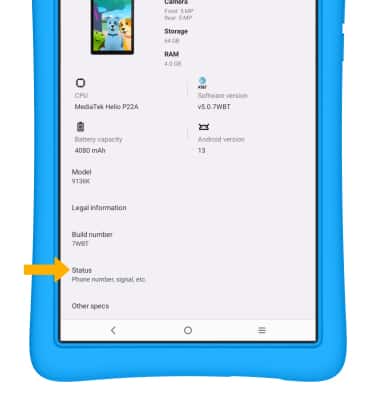
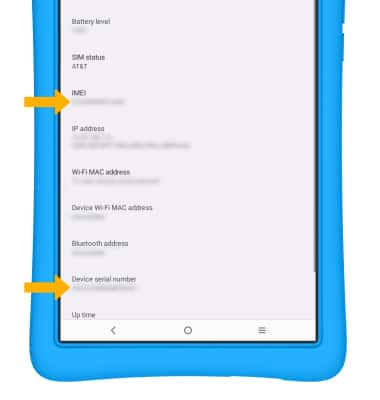
5. Here you can view the device's IMEI and Serial number.
Note: You can also view your IMEI by dialing *#06#.
View Phone number
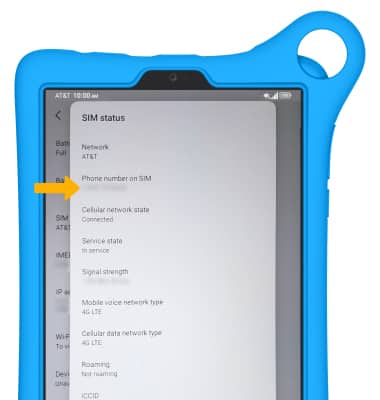
1. To view the phone number associated with the SIM, from the Status screen, select SIM status.
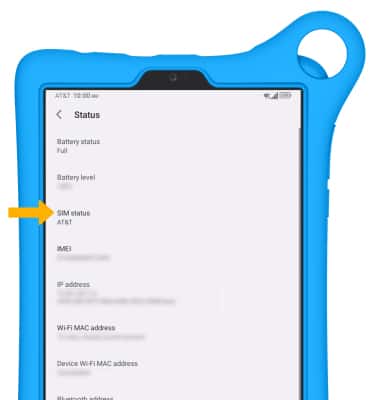
2. The phone number will be displayed.