
 To access the Camera app, from the home screen, select More on the My apps widget > navigate to and select the
  Camera app. If the My apps widget is not displayed, select the Search icon > search for and select Camera.
In this tutorial, you will learn how to:
• Access photos and videos
• Set storage location
Access photos and videos
From the Camera app, select the Gallery icon.
Note: Alternately, from the home screen, select the More from the My apps widget then scroll to and select the  Photos app. If the My apps widget is not displayed, select the Search icon > search for and select Photos.
Photos app. If the My apps widget is not displayed, select the Search icon > search for and select Photos.
Set storage location
1. From the Camera app, select the  Settings icon.
Settings icon.2. Select Storage.
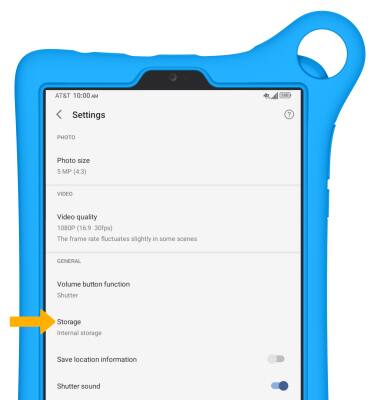
3. Select the desired location.
3. Select the desired location.
Note: Storage location is only accessible if an SD card is installed.
