
In this tutorial, you will learn how to:
• View available storage
• Free up storage
• Remove unused apps
• Clear app data
• Add storage
• Format an SD Card
View available storage
1. Swipe down from the Notification bar with two fingers, then select the  Settings icon.
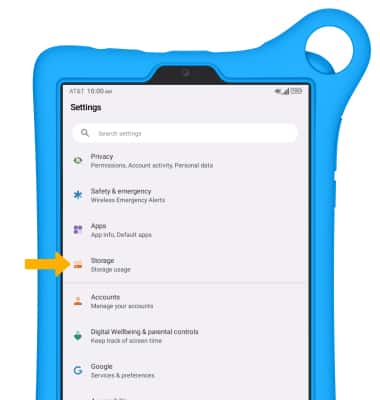
Settings icon.2. Scroll to and select Storage.
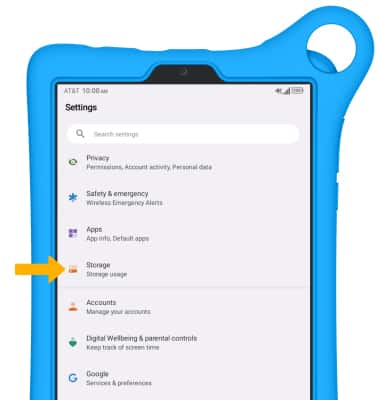
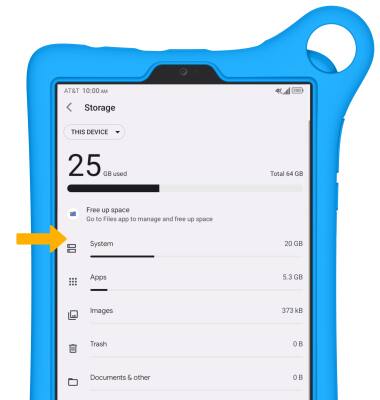
3. Available storage will be listed under THIS DEVICE.
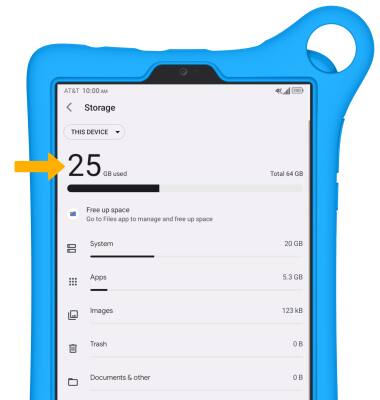
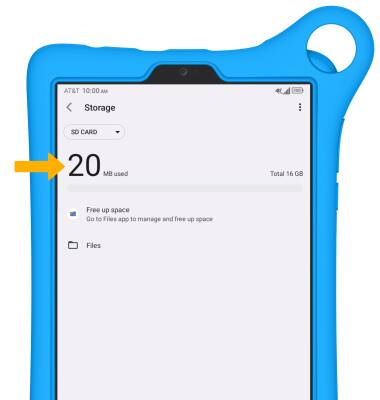
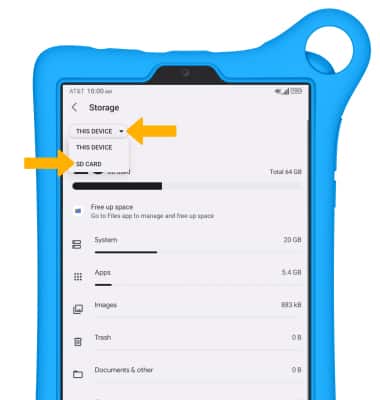
4. Select the THIS DEVICE drop-down icon, then select SD CARD to view available memory card space.
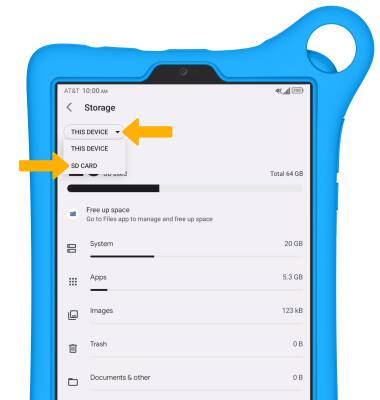
5. Available memory card storage will be displayed.
Free up storage
1. From the Storage screen, select the desired storage location.
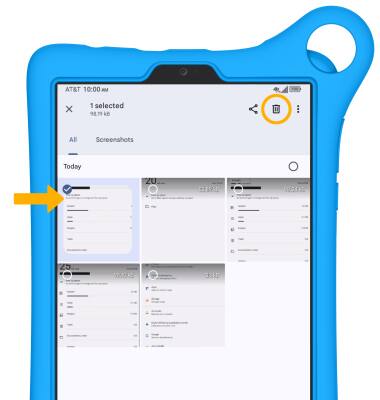
2. Navigate to, then select and hold the desired content. Select the  Delete icon.
Note: You will be prompted to select Move to Trash to confirm.
Remove unused apps
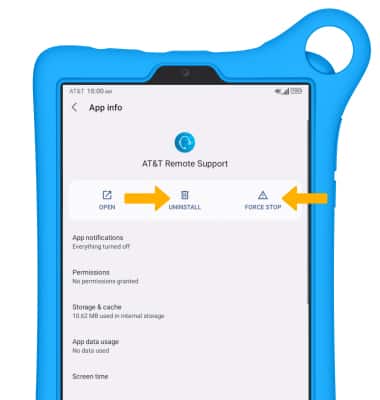
From the Settings screen, scroll to and select Apps > View all apps > desired app. From here, you may UNINSTALL or FORCE STOP the app.
Clear app data
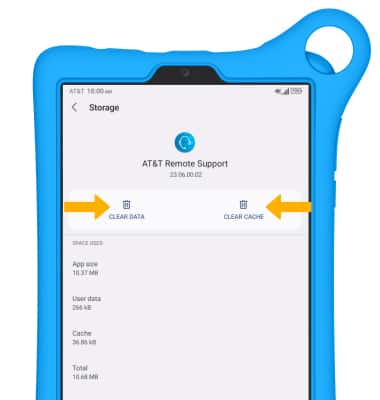
From the Apps screen, select View all apps > desired app > Storage & cache > CLEAR STORAGE or CLEAR CACHE.
Add storage
Purchase an SD card or download a cloud storage app from the  Play Store app.
Play Store app. For information on storing data to a memory/microSD card, visit the Backup & Restore with a Memory Card tutorial.
Format an SD card
1. When you insert an SD card for the first time, it is recommended that you format it on your phone. From the home screen swipe down from the Notification bar with two fingers, then select the Settings icon.
Note: Formatting your SD card will erase all files on the card and the card will be formatted for use on your phone. Make sure you backup your files to another location before formatting your SD card.
Settings icon. Note: Formatting your SD card will erase all files on the card and the card will be formatted for use on your phone. Make sure you backup your files to another location before formatting your SD card.
2. Select Storage.
3. Select the THIS DEVICE drop-down icon, then select SD CARD.
4. Select the  Menu icon, then select Format.
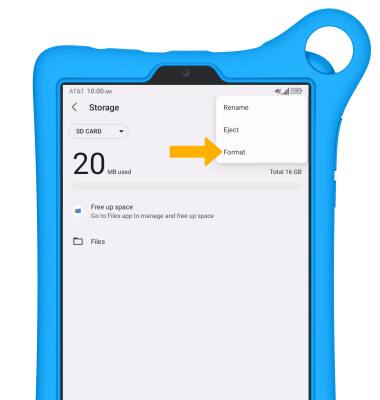
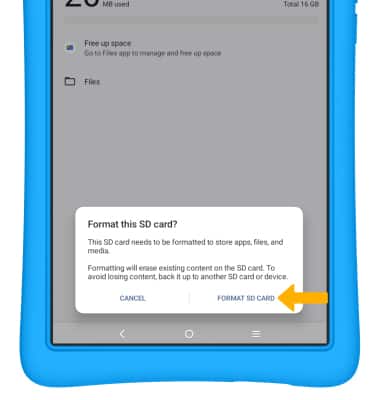
Menu icon, then select Format. 5. Select FORMAT SD CARD.