Device layout
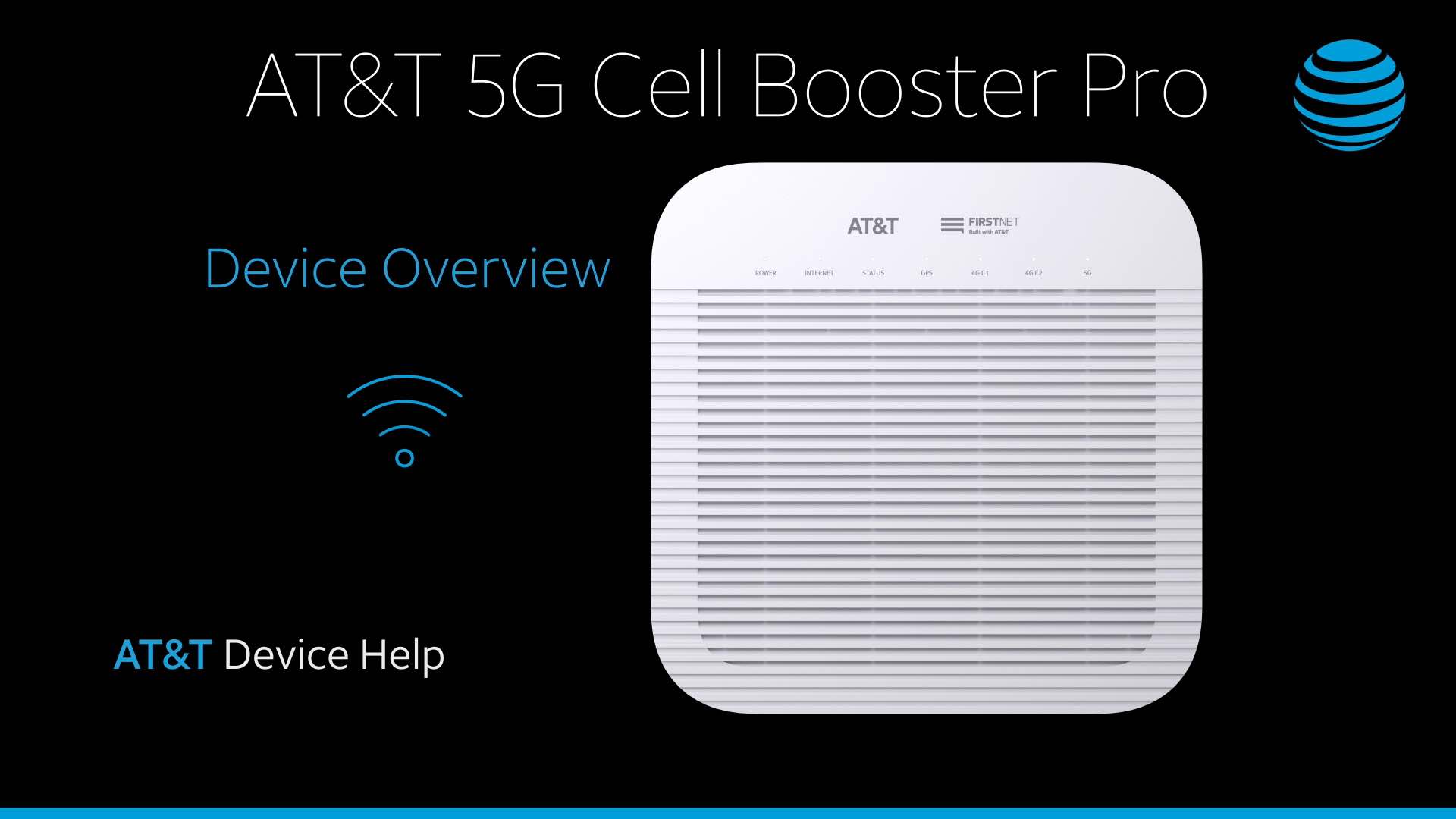
The device has 7 LED indicators located on the front of the device.
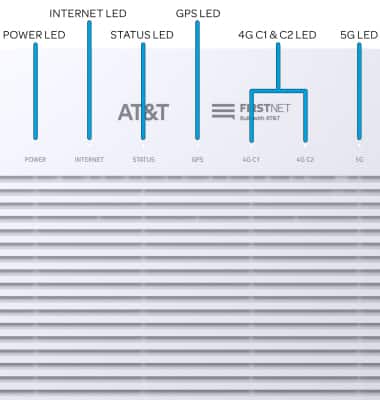
• POWER LED: Indicates device power status.
• INTERNET LED: Indicates successfull internet connection.
• POWER LED: Indicates device power status.
• INTERNET LED: Indicates successfull internet connection.
• STATUS LED: Indicates successful connection established with mobile operator network.
• GPS LED: Indicates device is ready to provide GPS service.
• 4G C1 & C2 LEDs: Indicates device is ready to provide LTE service.
• 5G LED: Indicates device is ready to provide 5G service.
• 5G LED: Indicates device is ready to provide 5G service.
Note: For more information on any of the LED indicators, visit the LED Indicators tutorial.
Port and button layout
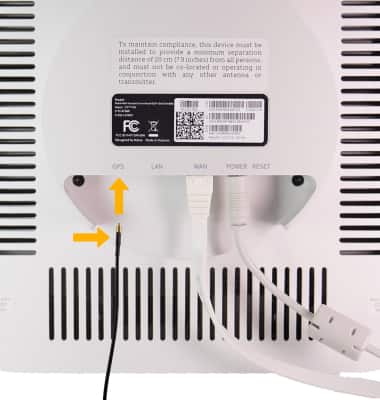
The device has 4 ports and 1 button located on the back of the device .
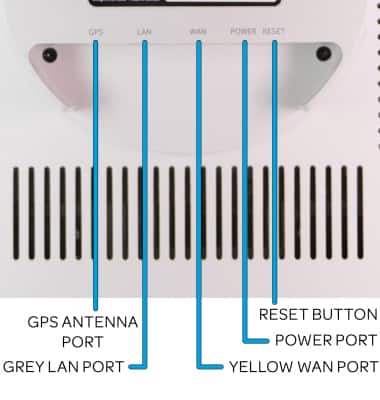
• POWER PORT: Plug in the AC adaptor.
• YELLOW WAN PORT: Connect the device to an internet router.
• POWER PORT: Plug in the AC adaptor.
• YELLOW WAN PORT: Connect the device to an internet router.
• GREY LAN PORT: Connect to other devices, like a PC, if needed.
• RESET BUTTON: Reboot or factory reset the device.
• GPS ANTENNA PORT: Install the GPS Antenna.
Note: For more information on how to reset your device using the Reset button, visit the Reset device tutorial.
Install the GPS antenna
To install the GPS antenna, insert the gold-side of the GPS cable into the GPS port until it clicks into place.