In this tutorial, you will learn how to:
• Access blocked numbers
• Block messages
• Unblock messages
• Block unknown numbers
• Block messages
• Unblock messages
• Block unknown numbers
Access blocked numbers
From the  Messages app, select the Account icon > Spam & blocked >
  Menu icon > Blocked numbers.
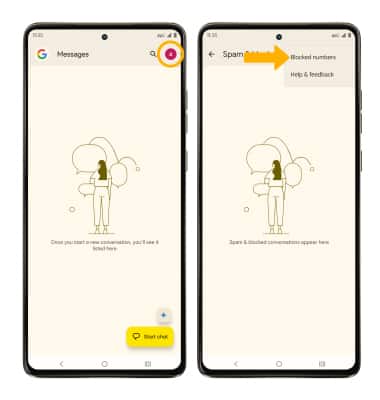
Messages app, select the Account icon > Spam & blocked > Menu icon > Blocked numbers. Block messages
1. From the home screen, select the Messages app.
2. Select and hold the desired message thread. Select the Menu icon, then select the Block.
Messages app. 2. Select and hold the desired message thread. Select the
Menu icon, then select the Block.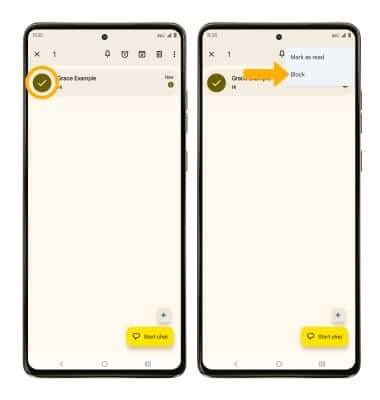
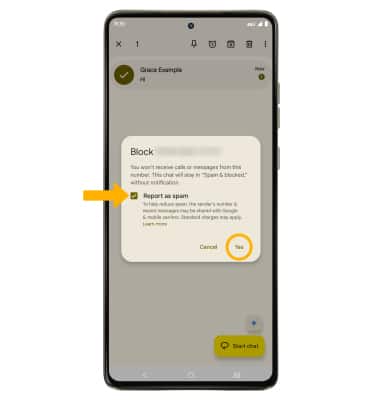
3. If desired, select the Report spam checkbox to have the number reported to Google. Select Yes to confirm.
Unblock messages
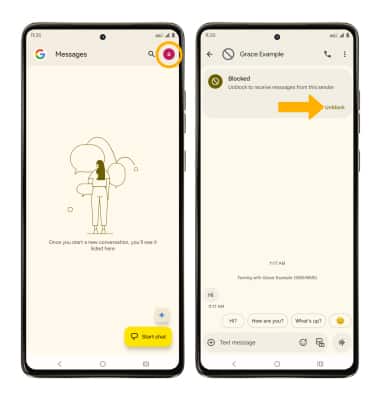
To remove a number from the Blocked numbers list, from the Messages app, select the Account icon > Spam & blocked > desired contact or phone number > select Unblock.
Block unknown numbers
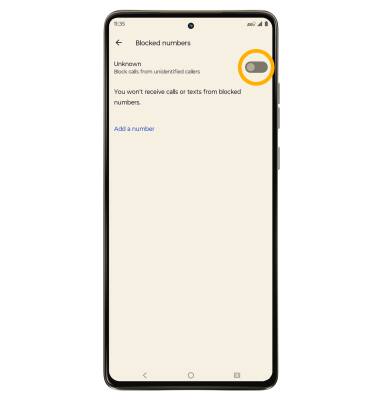
From the Blocked numbers screen, select the Unknown switch.