In this tutorial, you will learn:
• Ethernet port layout
• Single Gateway set up
• Modem and Router set up
Ethernet port layout
The device has 2 ports located on the back of the device .
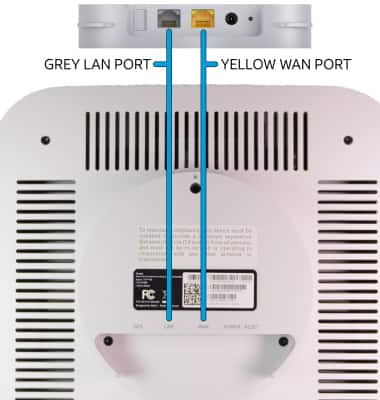
• YELLOW WAN PORT: Connect the device to an internet router.
• GREY LAN PORT: Connect to other devices, like a PC, if needed. If you have additional devices that need to connect to Router/Gateway and no other ports are available, you can connect your device to the port for internet access.
Single gateway setup
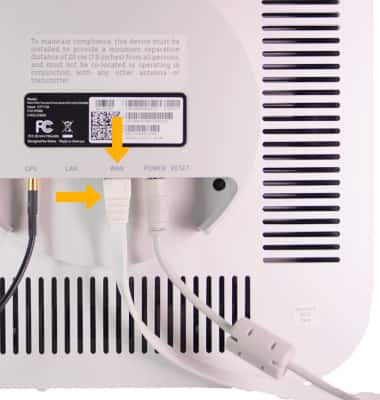
Connect the ethernet cord from the Cell Booster WAN Port to the Router/Gateway Port.
Note: If there are multiple gateway routers, the Cell Booster must be connected to the first router connected to the broadband modem.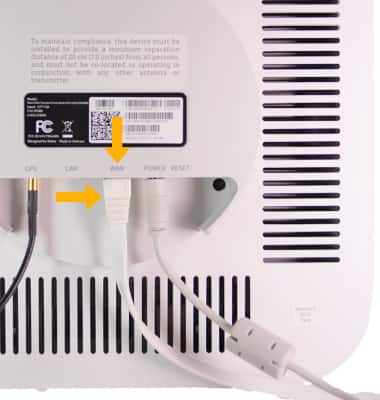
Modem and router setup
Connect the ethernet cord from the Cell Booster WAN port to the Router Ethernet port.
Note: Do not connect Cell Booster directly to your modem. If the Cell Booster is connected to a router that is connected to a modem and both the router and the modem have NAT (Network Address Translation) enabled, disable NAT either in the router or in the modem.